From now on, you can Add Money from the following Source Institutions:
FPS PARTICIPANT CODE – NAME OF SOURCE INSTITUTIONS
387 – ZA Bank Limited
389 – Mox Bank Limited
391 – Fusion Bank Limited
009 – China Construction Bank (Asia) Corporation Limited
018 – China CITIC Bank International Limited
040 – Dah Sing Bank Limited
012 – Bank of China (Hong Kong) Limited
024 – Hang Seng Bank Ltd.
004 – The Hongkong and Shanghai Banking Corporation Limited
388 – Livi Bank Limited
(latest update as of: 1 January 2023)
How to register
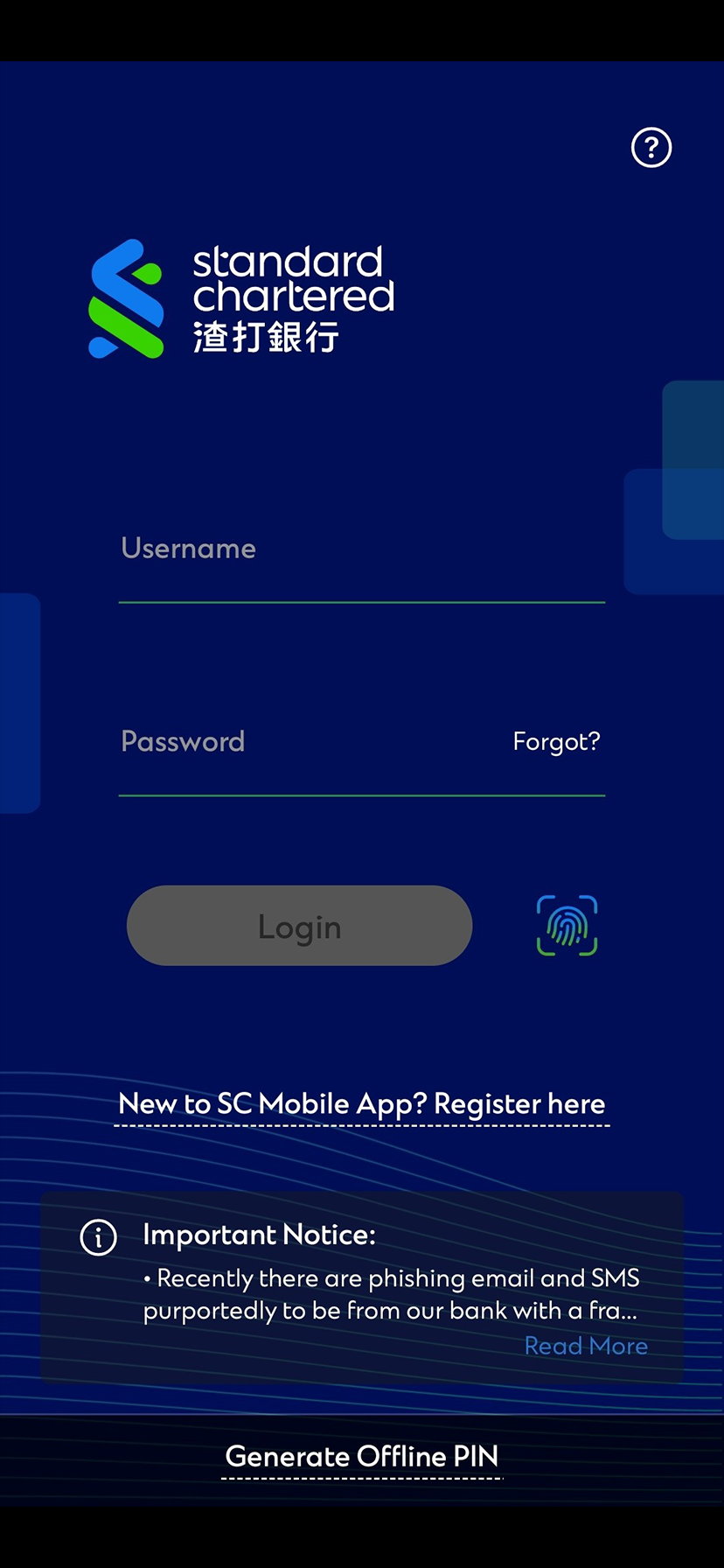
Step 1
Login to SC Mobile App
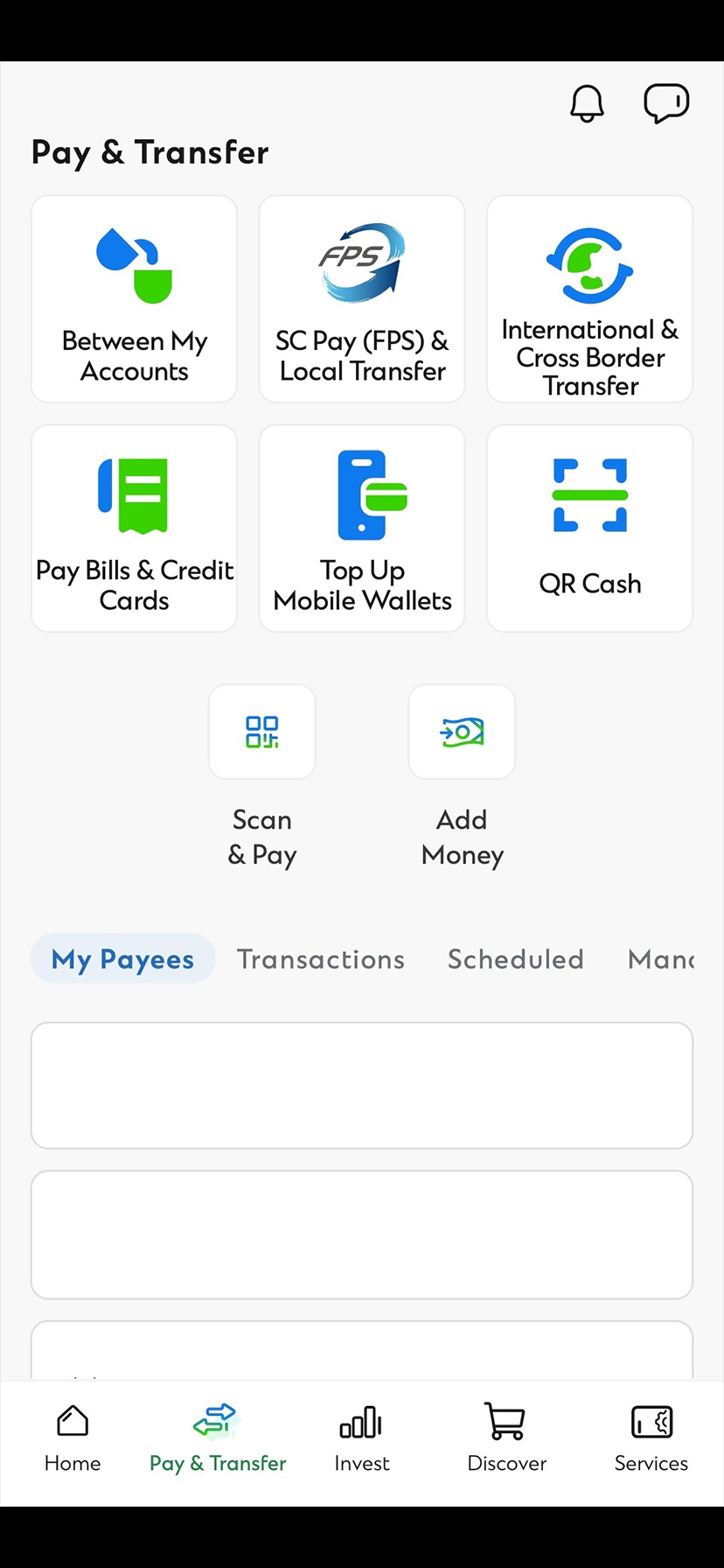
Step 2
Select “Add Money” from “Pay & Transfer” page
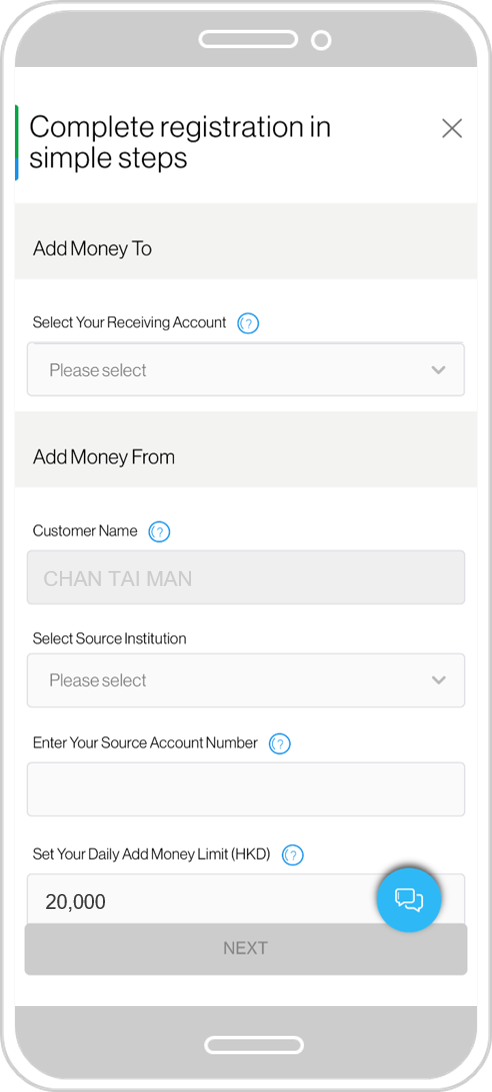
Step 3
Select SCB account, Source Institution and input Source Account and Daily Add Money Limit
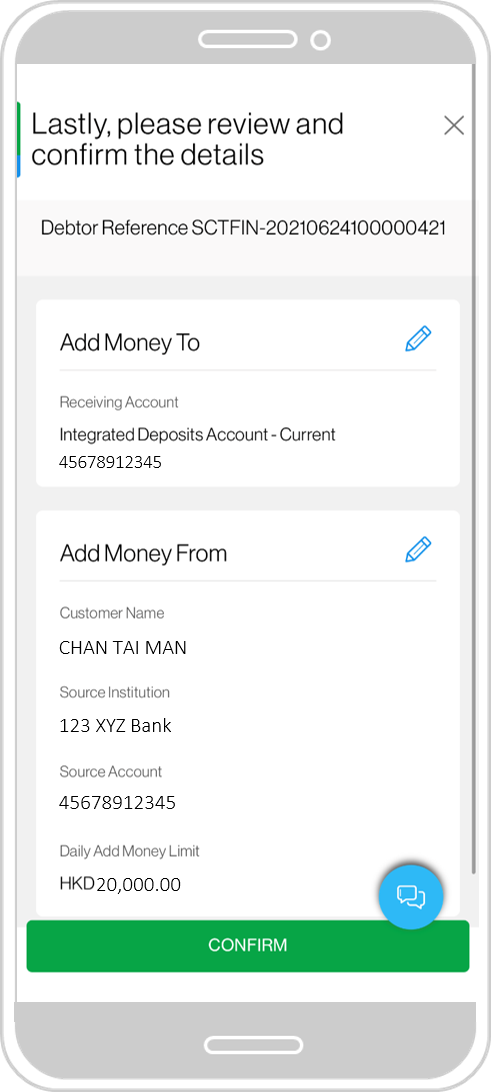
Step 4
Review your details
Step 5
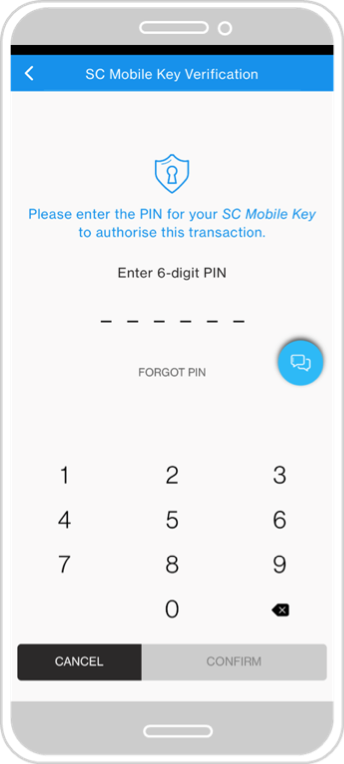
Confirm by entering your 6-digit SC Mobile Key PIN
Step 6
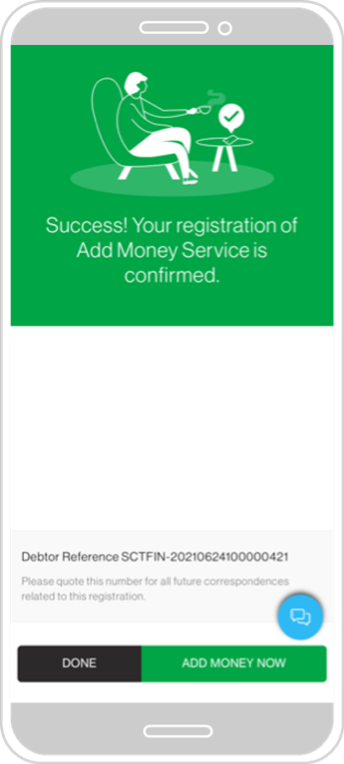
Your registration is completed
How to register
1
Step 1
Login to SC Mobile App
2
Step 2
Select “Add Money” from “Pay & Transfer” page
3
Step 3
Select SCB account, Source Institution and input Source Account and Daily Add Money Limit
4
Step 4
Review your details
5
Step 5
Confirm by entering your 6-digit SC Mobile Key PIN
6
Step 6
Your registration is completed
How to add money
Step 1
Login to SC Mobile App
Step 2
Select “Add Money” from “Pay & Transfer” page
Step 3
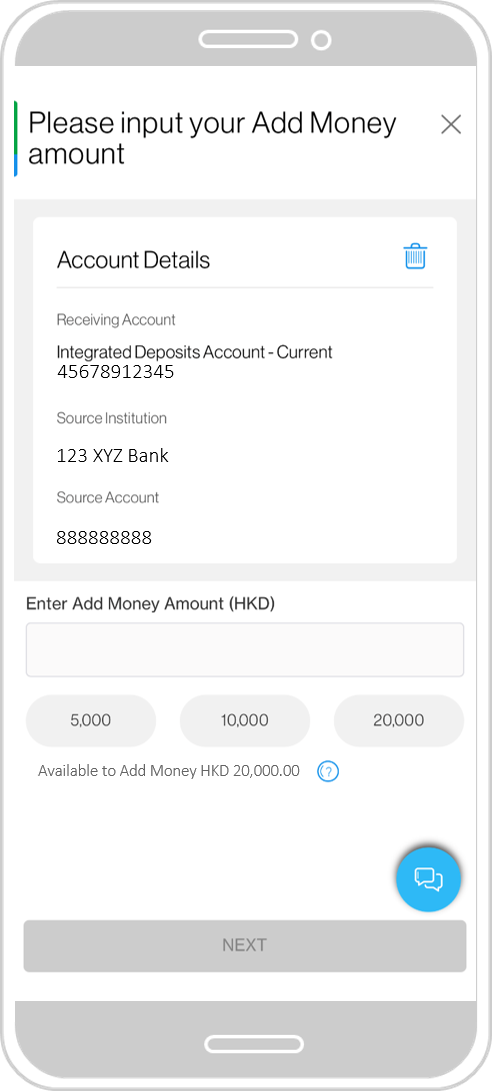
Input Add Money amount
Step 4
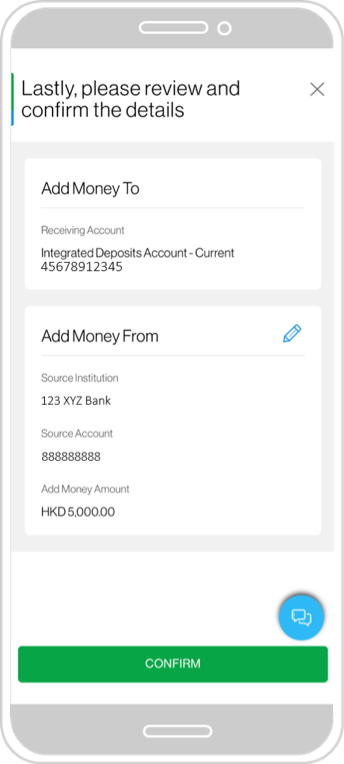
Review and confirm
Step 5
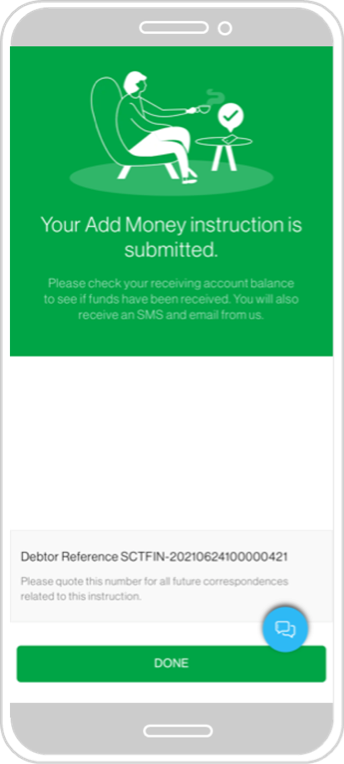
Your Add Money transaction is completed
How to add money
1
Step 1
Login to SC Mobile App
2
Step 2
Select “Add Money” from “Pay & Transfer” page
3
Step 3
Input Add Money amount
4
Step 4
Review and confirm
5
Step 5
Your Add Money transaction is completed
FAQs
Add Money Service is a convenient fund transfer in function in SC Mobile.
With Add Money service, you can easily transfer money to your SCB Receiving Account from the registered Source Account in another bank.
You can transfer funds from other banks through the Add Money feature on SC Mobile, without switching apps!
Simply select your Receiving Account, choose your Source Institution, input your Source Account number and your SC Mobile Key PIN to complete your registration. Once your registration is successful, you can simply initiate a fund transfer (i.e. Add Money Transaction).
Your Add Money Transaction may be rejected if there are insufficient funds at your Source Account and you may be charged by your Source Institution.
We will process the Add Money Transaction instantly and funds should be deposited to your Receiving Account in real-time. However, it still depends on Source Institution’s response time.
Login to SC Mobile and select “Add Money” from the left-hand menu.
Select an HKD current or savings account as your Receiving Account.
Select Source Institution and input your same name Source Account Number.
Set your Daily Add Money Limit (Your Add Money Transaction is subject to this limit).
Confirm your registration with your SC Mobile Key PIN.
You can start adding money to your SCB account once the registration has been approved by the Source Institution!
Receiving Account is the HKD current or saving account designated by you and by which funds are to be receipt under Add Money Service.
Source Account is your same name account of the Source Institution designated by you, from which funds are debited under this Add Money Service.
Source Institution means the institution of the client’s same name account with a FPS participant who may be a licensed bank, a licensed stored value facility or other financial institution accepted by HKICL from time to time and from which funds are debited under this Add Money Service.
FPS CLEARING CODE
SOURCE INSTITUTION
387
ZA Bank Limited
389
Mox Bank Limited
391
Fusion Bank Limited
009
China Construction Bank (Asia) Corporation Limited
018
China CITIC Bank International Limited
049
Dah Sing Bank Limited
(updated as of 1 December 2021)
You may choose one of the following accounts as your receiving account for Add Money:
Single name Current Account or Saving Account (HKD)
Integrated Deposits Account (HKD)
Joint name (either‑one‑to‑sign) Current Account or Saving Account (HKD).
All eligible accounts will be shown at registration.
If you would like to unregister the Add Money service:
Login to SC Mobile and select “Add Money” from “Pay & Transfer” page.
Tap the bin icon next to “Account details” and confirm your cancellation.
You will receive SMS, email and Inbox notification upon successful cancellation of the service.
You may register for Add Money service again anytime.
To change your setting of Add Money service, you have to first cancel the existing registration record of Add Money service and re‑register with a new one.
For transfer in limit, there is a Daily Add Money Limit which is the maximum amount that can be received daily through the Add Money service. The maximum Daily Add Money Limit is HKD100,000.
Customer is also subject to the transfer out limit set by the Source Institution.
To change the Daily Add Money Limit, you will have to first cancel your existing Add Money service and register again with a new limit.
To change your receiving account, you will have to first cancel your existing Add Money service and register again with your desired receiving account.
To change your source institution and source account, you will have to first cancel your existing Add Money service and register again with the new source institution and source account.
Currently, you can only register a Receiving Account with a Source Account in a Source Institution.
You can only register with your same name account at any of the source institutions listed at Add Money registration.
Make sure your Hong Kong identity number / passport number, mobile number and full name at the source institution match with your records with us.
We will send you SMS, Inbox notification and Email upon successful registration of the Add Money Service. We will also notify you if the registration is rejected by source institution.
We will send you SMS, Inbox notification and Email if your Add Money transaction is successful. You are strongly advised to check your receiving account balance to see if the funds are ready.
We will also notify you if the transaction has been rejected by source institution.
Add Money service is free of charge.
However, you may be charged by your source institution if your Add Money transaction is rejected due to insufficient funds at your source account or other reasons.
Add Money service only supports HKD at the moment.
If you would like to deposit other currencies, you may make a telegraphic transfer or account transfer via other banks and may incur additional charges.
Add Money service operates 24 hours instantly through SC Mobile.
Manage your finances on the go
Experience SC Mobile App now
Scan QR code to download SC Mobile App now
for Android users without Google Play, please click here to download the Android application package (APK)

 Straight2Bank