Straight2Bank
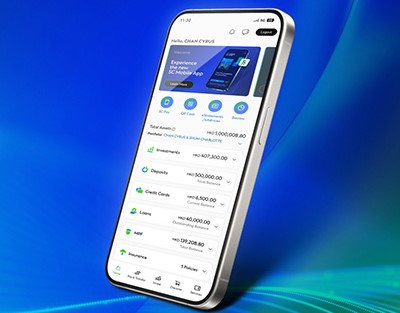
Download our SC Mobile App through the 4 authorised channels below
ANDROID USER (WITHOUT GOOGLE PLAY)* | ANDROID USER (WITHOUT GOOGLE PLAY) | IOS USER | HUAWEI USER (HONG KONG AND GLOBAL VERSION ONLY) |
|---|---|---|---|
| Steps for Android Installation: 1. Select “System Settings” > “General” > “Security” 2. Enable “Unknown Sources” 3. Click here /Scan the following QR Code to download Android application package (APK). 4. Open the APK file and install. 5. Disable “Unknown Sources” after successful APK installation. Note: Installation steps may differ depending on device. Push notifications may not function properly, but customers can still open the app to view in-app notifications | • Please search for “SC Mobile Hong Kong“ in Google Play Store OR
•Click here /Scan the following QR Code to download Standard Chartered Mobile Banking App. | • Please search for “SC Mobile“ in Apple App store OR
• Click here /Scan the following QR Code to download Standard Chartered Mobile Banking App. | •Please search for “SC Mobile Hong Kong” in Huawei AppGallery OR
•Click here / Scan the following QR Code to download Standard Chartered Mobile Banking App. Note: Customers with Mainland China version Huawei devices (running HarmonyOS 5) may need to download the APK version of SC Mobile App |
 |  | |  |
| Version: 7.10.0 Last Update Date: 28 Nov 2025 SC Mobile App is supported on smartphones with Android 10.0/+ *It is encouraged user to visit this page frequently and process manual update proactively to ensure your device got latest version of APK. |
Security Tips
- If you got suspicious on a downloaded app, do not attempt to log in. Please stop any operations, delete the corresponding app and contact our staff immediately.
- Be aware and do not download any counterfeit app which could be attached with Phishing program / Trojan to steal your login information.
- Do not copy or install any app from uncertain sources on your mobile device.
- If there are any abnormality identified with our app, such as abnormal layout or unusual slow login response, please stop any actions immediately.
- Ensure the search keywords ‘SC Mobile Hong Kong’ are used when downloading SC Mobile from the official application stores.
- Please note that we recommend you to download the APK file from our Bank’s website only when you cannot access the Google Play or App Store
- The aforesaid channels are the only authorized channels for downloading our SC Mobile. To protect your information, please do not download our app via other channels
- For other security alerts, please click here for more information.