
 Straight2Bank
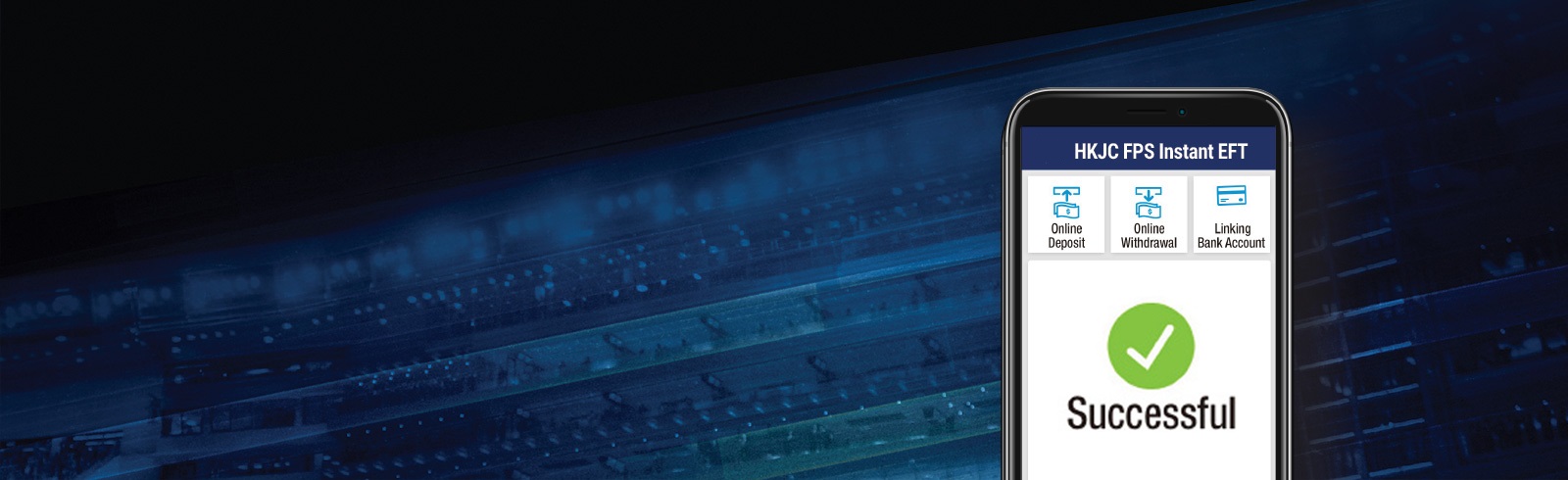
Hong Kong Jockey Club (HKJC) FPS Service
Top up HKJC account instantly via FPS (Faster Payment System) from your Standard Chartered bank account


How to link your bank account for HKJC FPS service?
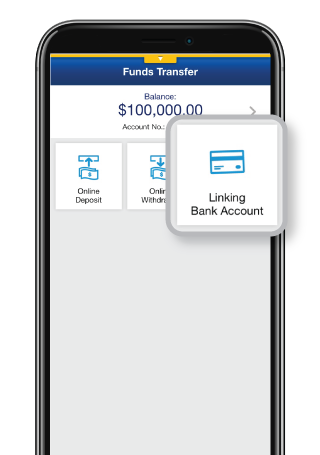
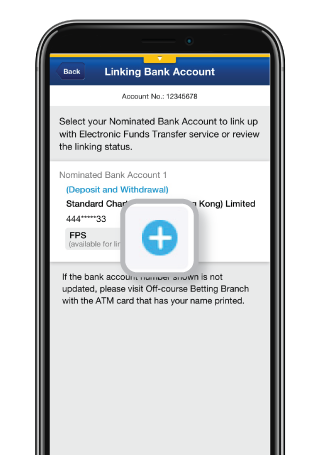
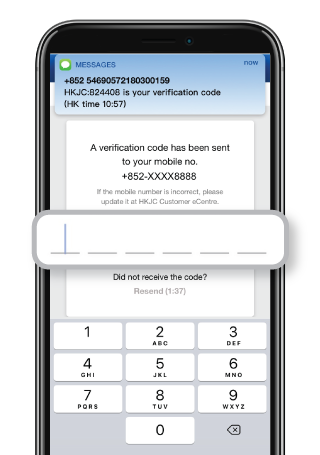
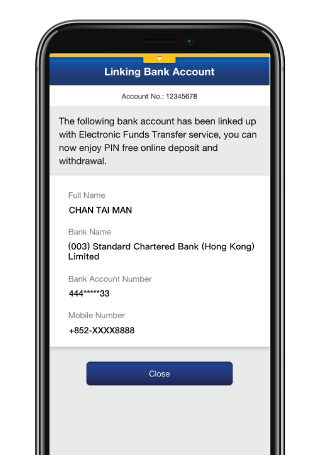
How to link your bank account for HKJC FPS service?
HKJC FPS Service FAQs
It is likely that your Standard Chartered bank account is not registered as the Nominated Bank Account at HKJC. Please bring the following documents to visit any HKJC Branch or Racecourse for registration.
- HKID or valid identity document
- Original bank document with your full name and personal bank account number
The registration (i.e. Request of Electronic Direct Debit Authorization (eDDA) setup) should be confirmed instantly. If such eDDA setup request lasted over 1 business day, you are advised to contact us.
During the registration process, we will verify your Name, Identity document number, Mobile number and Nominated Bank Account number in HKJC account, to make sure all the above personal data are exactly matched with the bank’s record. If any of the data does not match, the registration will be rejected.
Then, you can check the rejection reason with your name, mobile number and nominated bank account number in the relevant page of the HKJC application. If the bank’s record is incorrect, please contact your bank to update. Otherwise, please refer to the following instructions to update the HKJC ’s record:
1. Registered Name / Identity document number not match
You can bring your Identity document to Off-course Betting Branches/ Racecourses to update the information. The relevant change will be updated around 1 working day.
2. Registered Mobile number not match
You can update your mobile number online at HKJC Customer eCentre (cc.hkjc.com) or you may visit Off-course Betting Branches/ Racecourses to update the information. The relevant change will be updated instantly and you can re-register the service via any supporting channel.
3. Registered Nominated Bank Account number not match
You can bring your original bank document with your full name and personal bank account number that has printed your name to visit Off-course Betting Branches/ Racecourses to update the information. The relevant change will be updated instantly and the system will re-submit the registration automatically.
Manage your finances on the go
Experience SC Mobile App now

Scan QR code to download SC Mobile App now
for Android users without Google Play, please click here to download the Android application package (APK)



Important Notes
Clients acknowledge that the Bank makes no warranty that the above mentioned product/service providers will be able to perform the functions and services relating to their corresponding product(s)/service(s). The Bank accepts no liability for any loss or damage incurred as a result of the use of any of the above mentioned products/services.Application for or use of the products/services shall be subject to the Terms and Conditions of their respective product/service providers. For details, please visit their corresponding product/service website(s). The Bank is not obliged to notify clients of any changes or latest announcements of any product/service providers. Clients understand and accept that the Bank is not the supplier of the above mentioned products/services. The Bank shall bear no liability relating to any aspect of the products/services, including without limitation, their quality, the supply, the descriptions provided by the products/services providers, any false trade description, misrepresentation, mis-statement, omission, unauthorized representation, unfair trade practices or conduct in connection with the products/services provided by their corresponding product/service providers ( including its their employees, officers or agents ).
