
 Straight2Bank

Enjoy flexible banking with Standard Chartered’s diversified services
Standard Chartered Digital Banking and Automated Banking provides 24-hour banking services to take care of your financial needs. It’s all at your fingertips… experience it now !
Standard Chartered Digital Banking Telegraphic Transfers
-
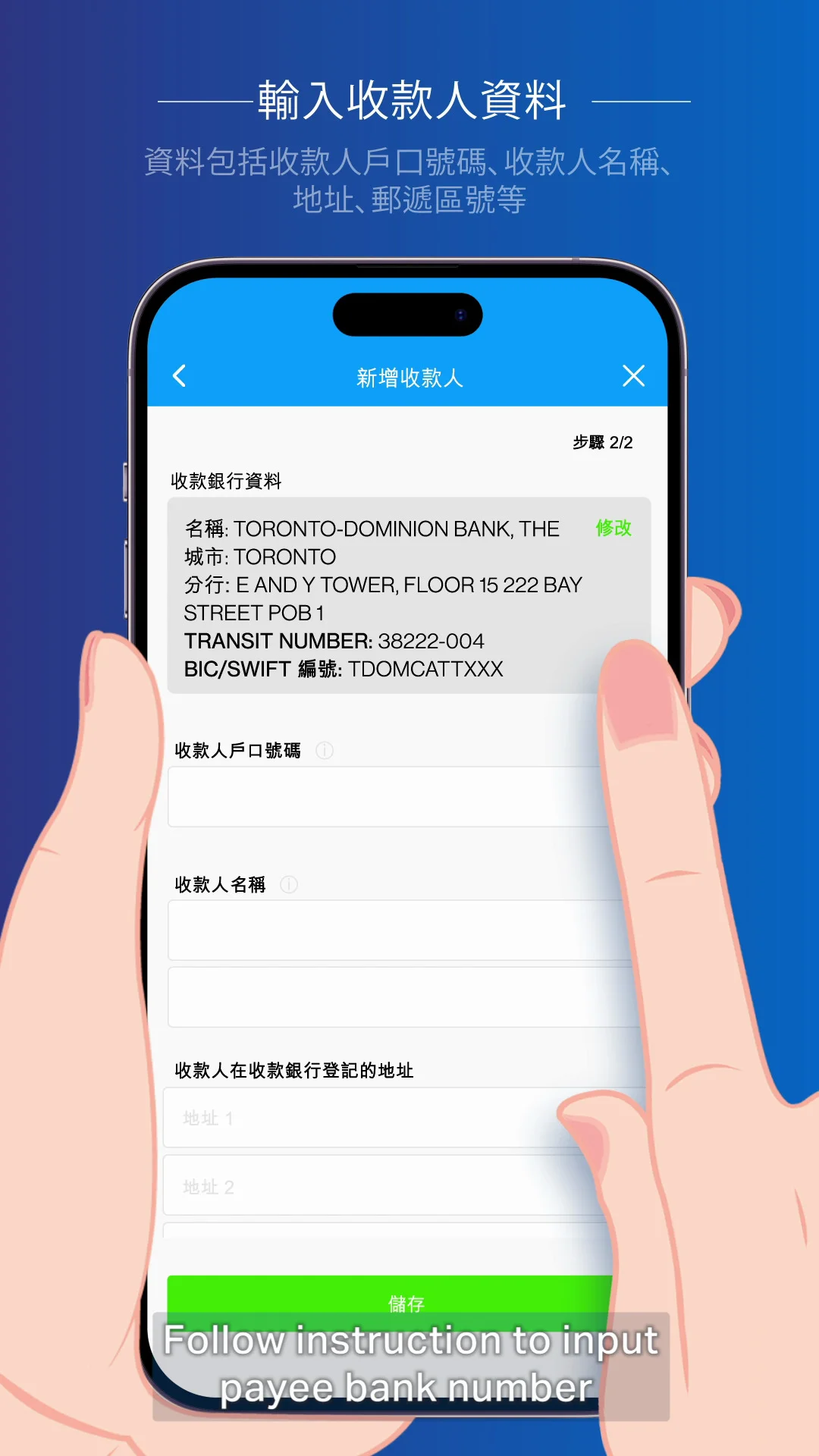
Standard Chartered Digital Banking and Automated Banking Services





How to do Telegraphic Transfer?
REGISTER PAYEE ACCOUNT AND MAKE TRANSFER ON ONLINE BANKING
| |
|---|---|
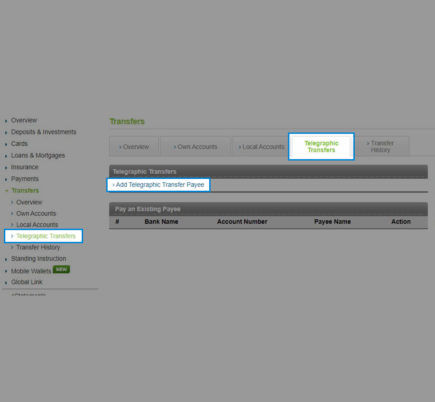
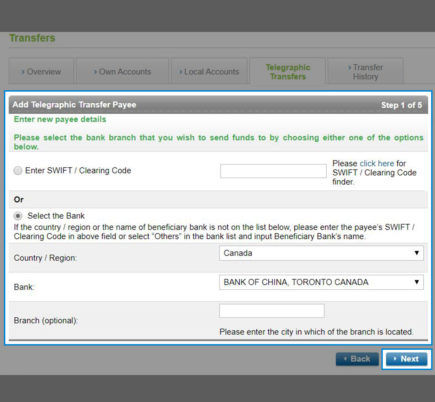
| 1. Login Online Banking and click ‘Transfers’ then ‘Telegraphic Transfers’. Click ‘Add Telegraphic Transfers Payee’. | 2. Enter you payee bank account information. You can choose to enter SWIFT code or search the bank by selecting the ‘Country/ Region’ and ‘Bank’. Click ‘Next’ to proceed. |
 |  |
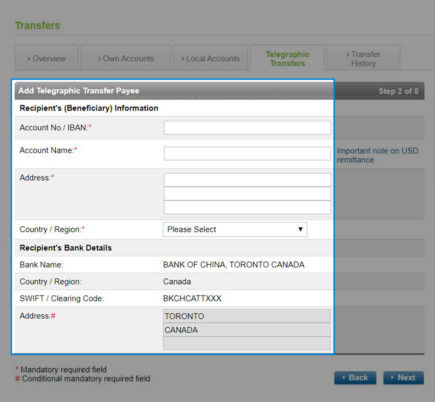
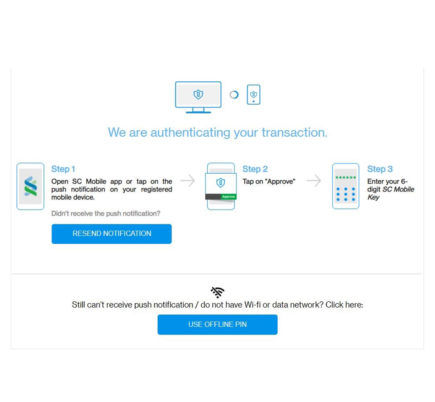
| 3. Enter your recipient account information, click ‘Next’ to proceed and click ‘Confirm’ to confirm your recipient account information is correct. | 4. Approve the account register request via SC Mobile Key on SC Mobile app or enter a transaction password and SMS One-Time Password (OTP) if you do not register for SC Mobile Key. After approval, you will see the registered account appear under ‘Pay An Existing Payee’. |
 |  |
| 5. To initiate Telegraphic Transfer, Select ‘Transfer’ on the registered account1. You may refer ‘Transfer History’ to check the status of the Telegraphic Transfer transaction2. | |
| |
- Please ensure there are sufficient funds (including remittance amount and related charges) available in your account.
- Your telegraphic transfer involving remittance currency in FJD, KRW, MOP, TWD and THB, CNY remittance to the mainland, Chinese character encoding and Local Bank Transfer Payment (including HKD, USD, EUR and CNY) will not be shown on Transfer History. The total remittance charges levied will be shown on account transaction history and/or bank statement. For further information, please call our Customer Service Hotline at (852) 2886 8868 (press 2 6 0).
