
 Straight2Bank

General set up for SMS/Email alerts
Login to Online Banking and set up the SMS/Email alerts at ease.
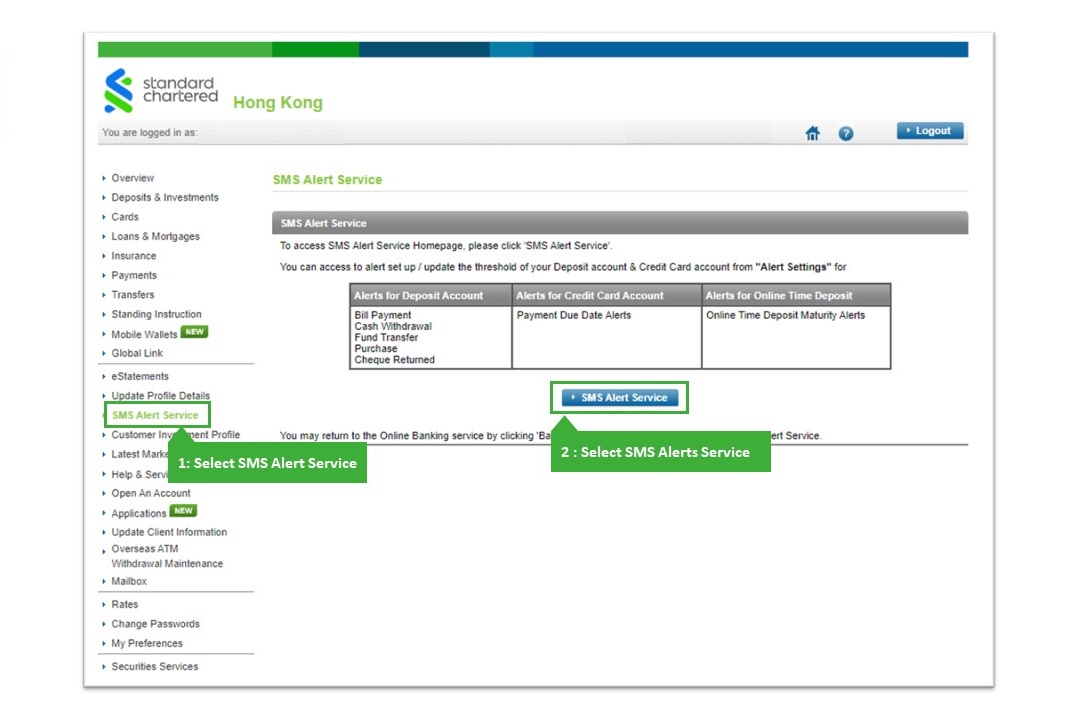
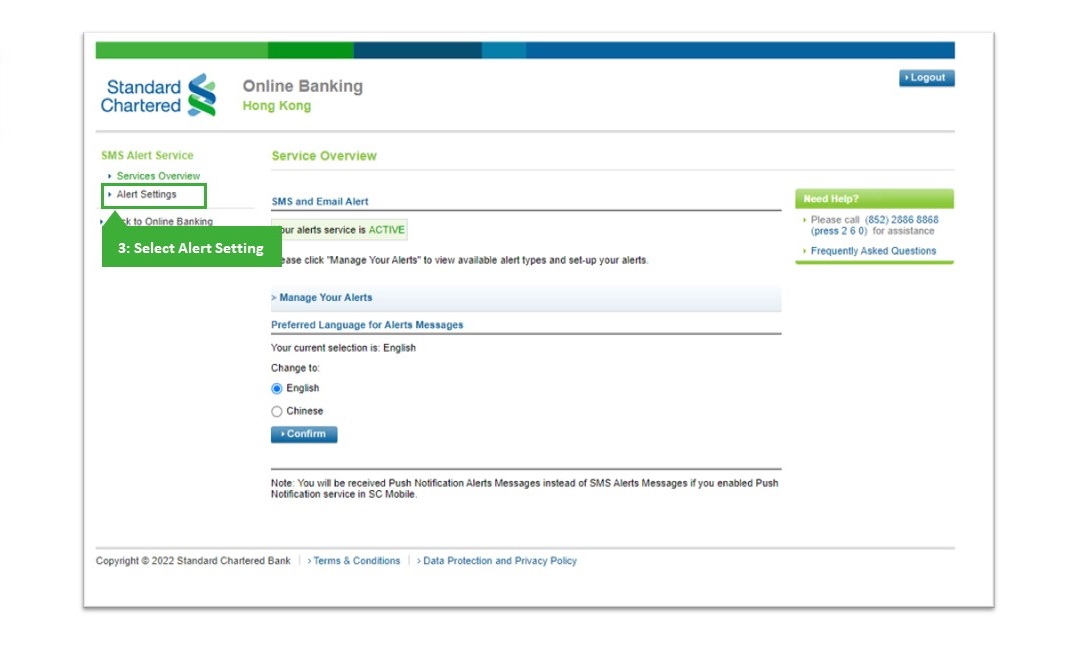
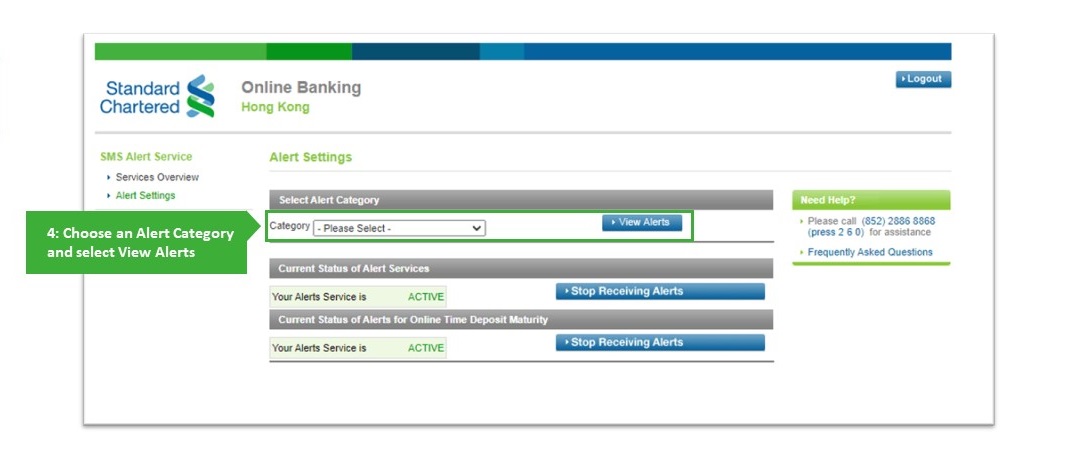
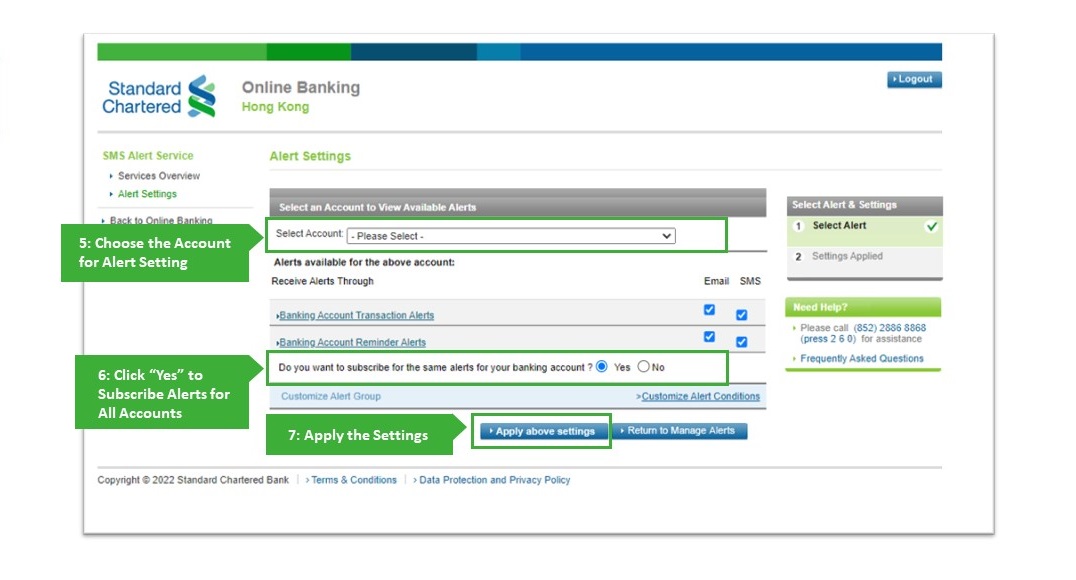
Customize Alert Conditions for Deposit Account
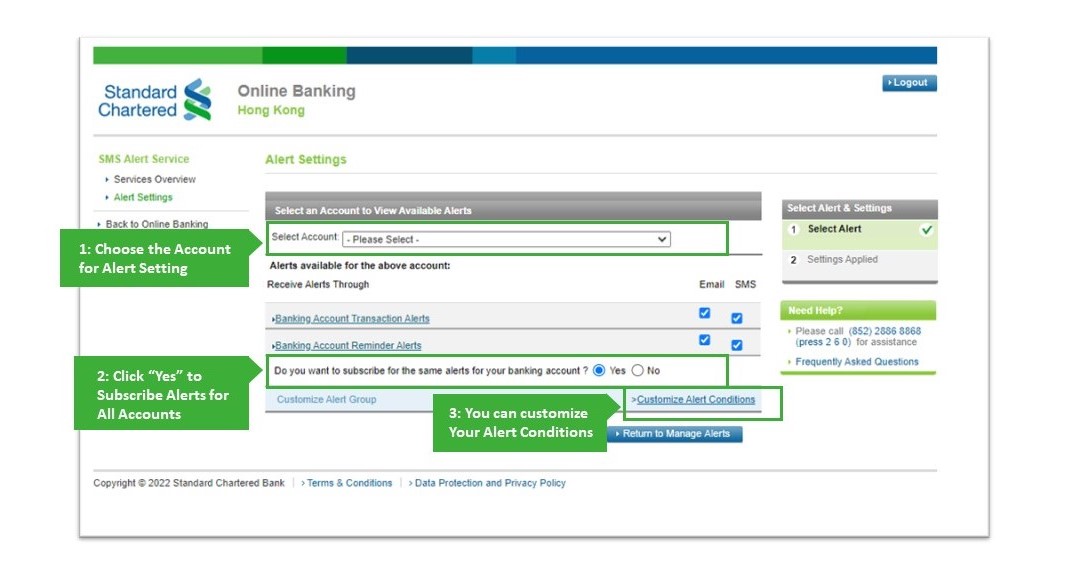
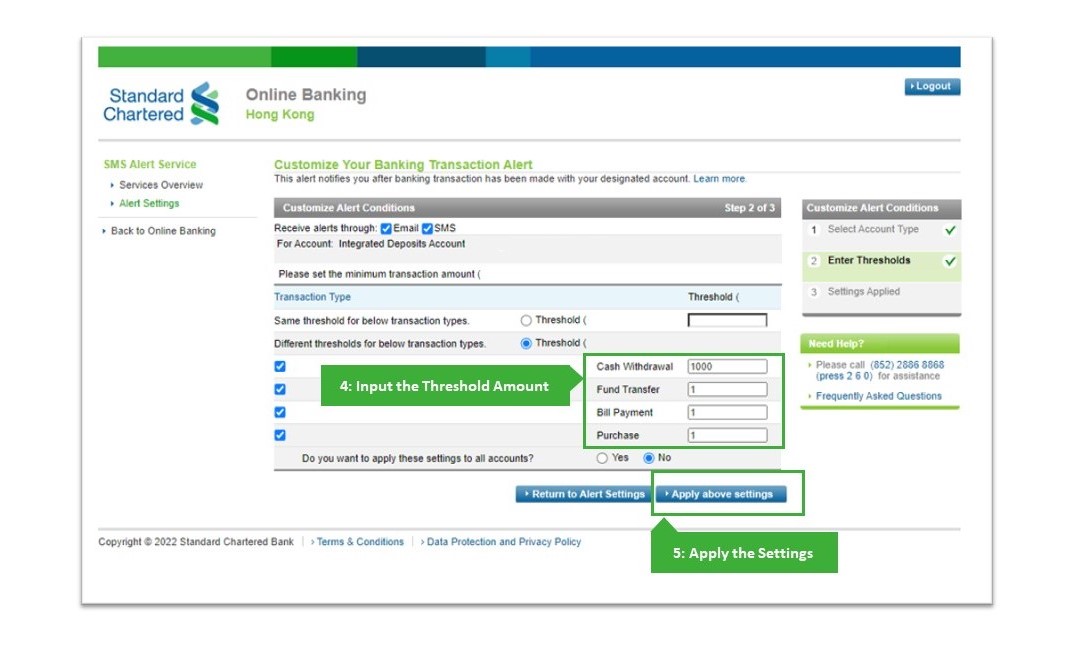
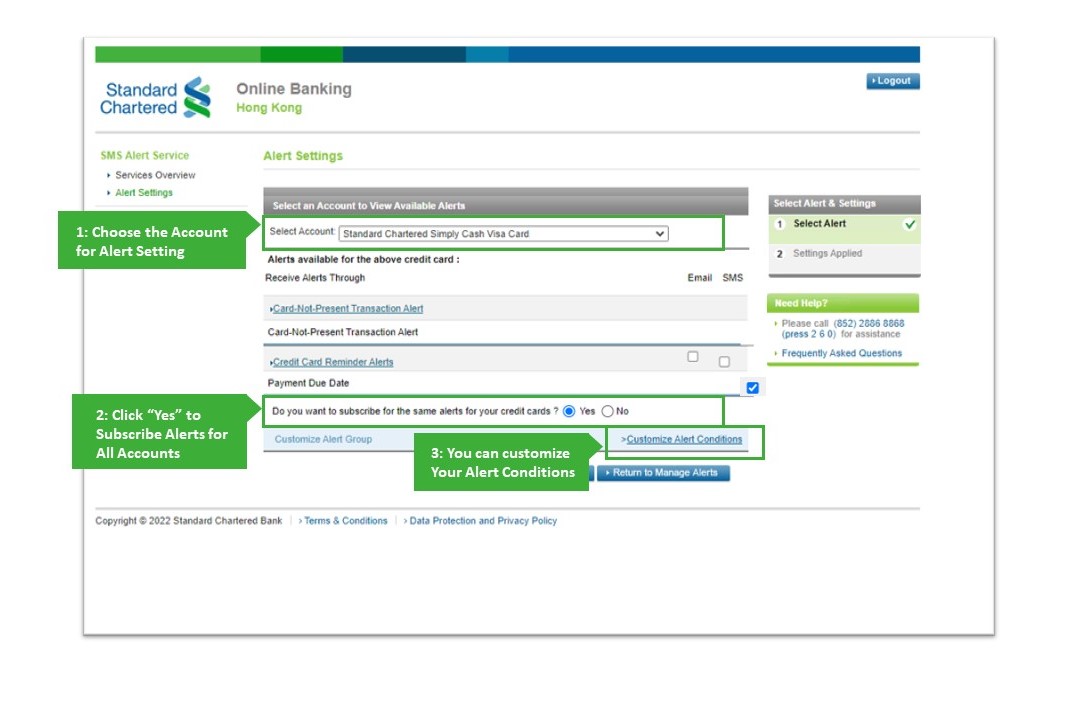
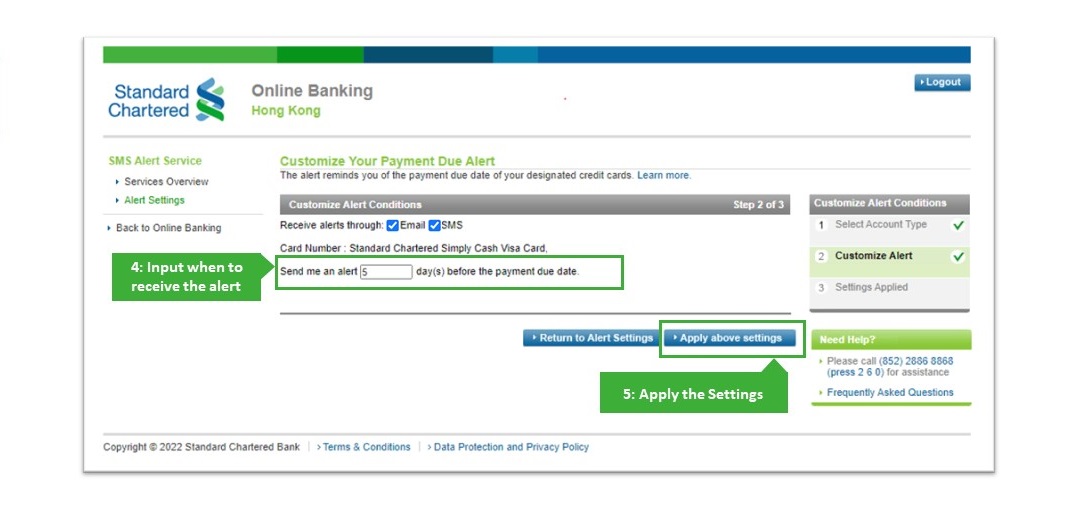
Customize Alert Conditions for Credit card Account
For new SC Mobile App User
You can enable Push Notification , so that banking alerts that you subscribed will send to you via SC Mobile app.
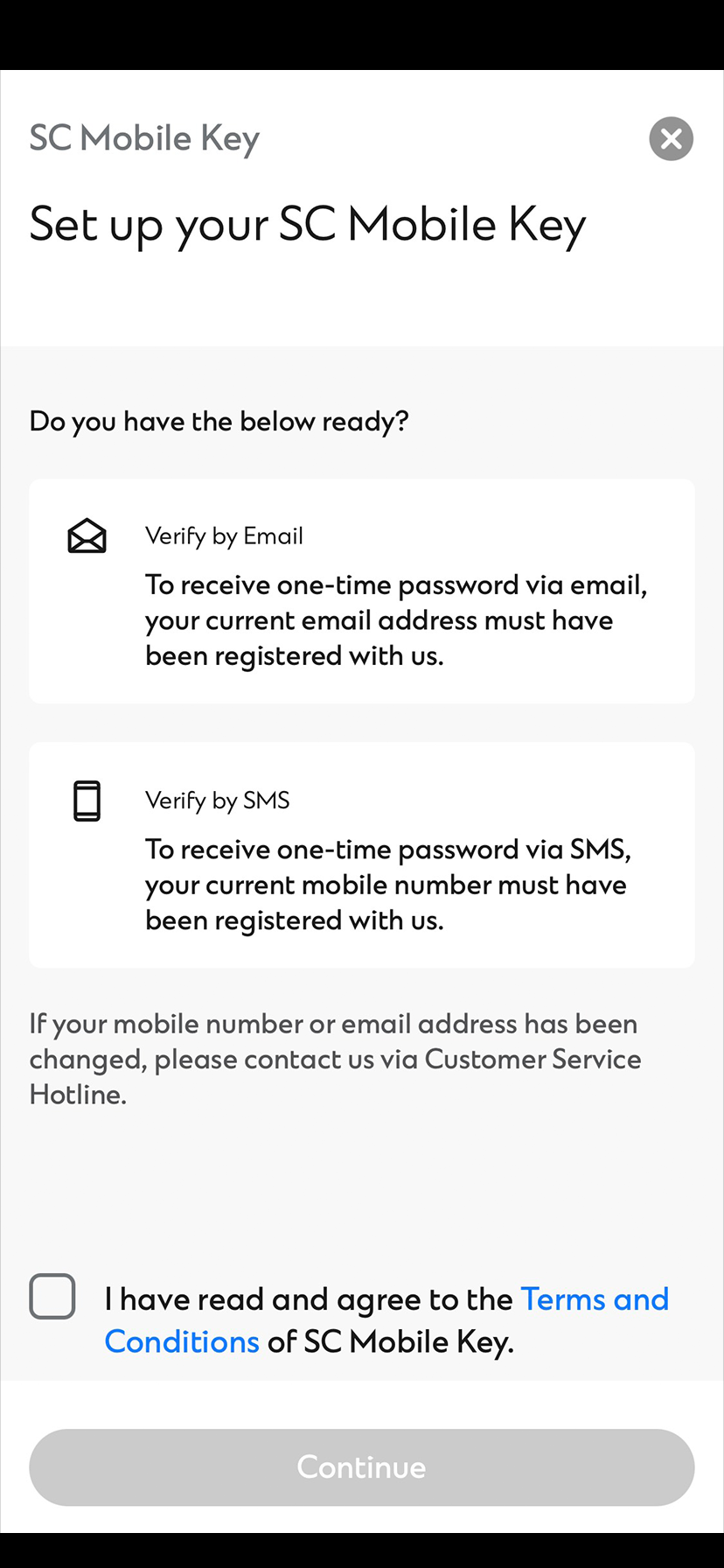
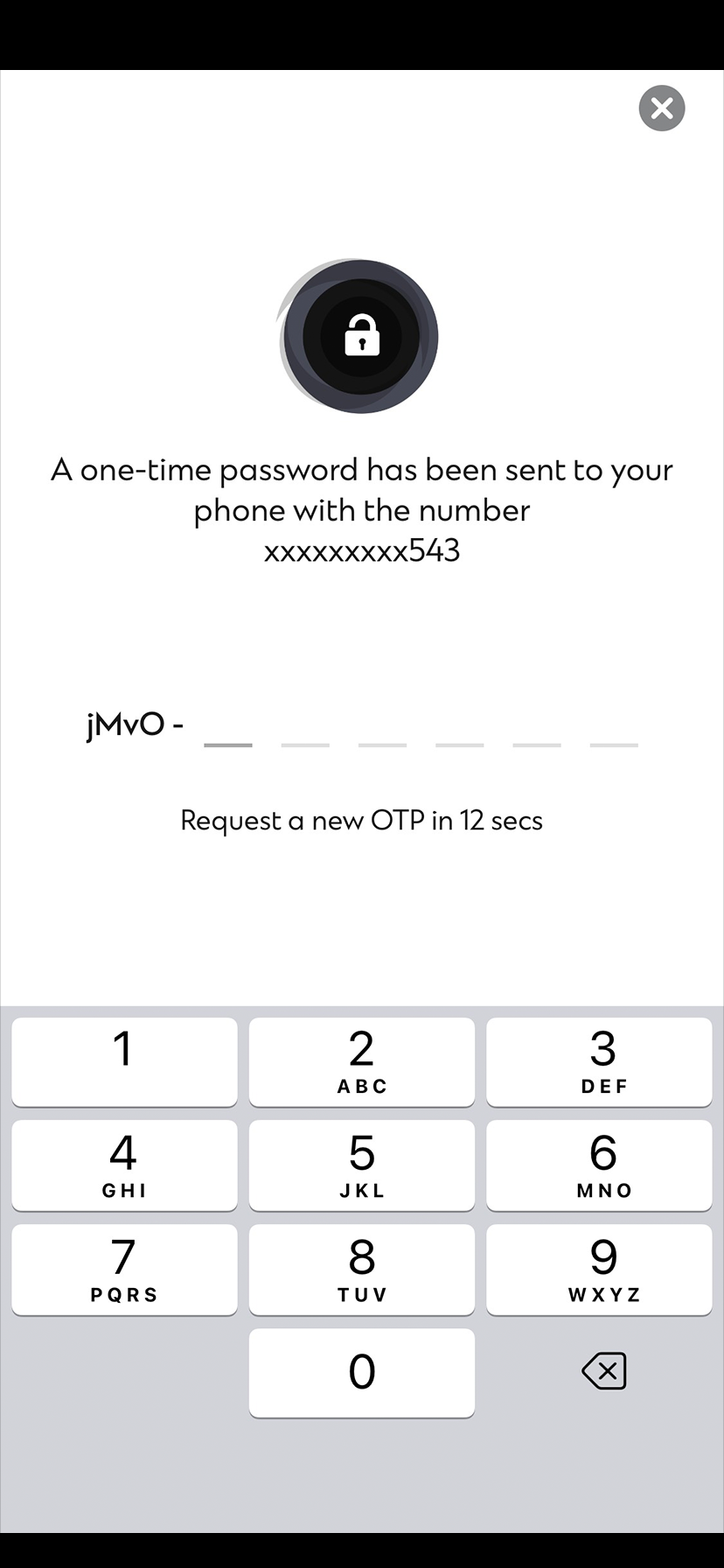
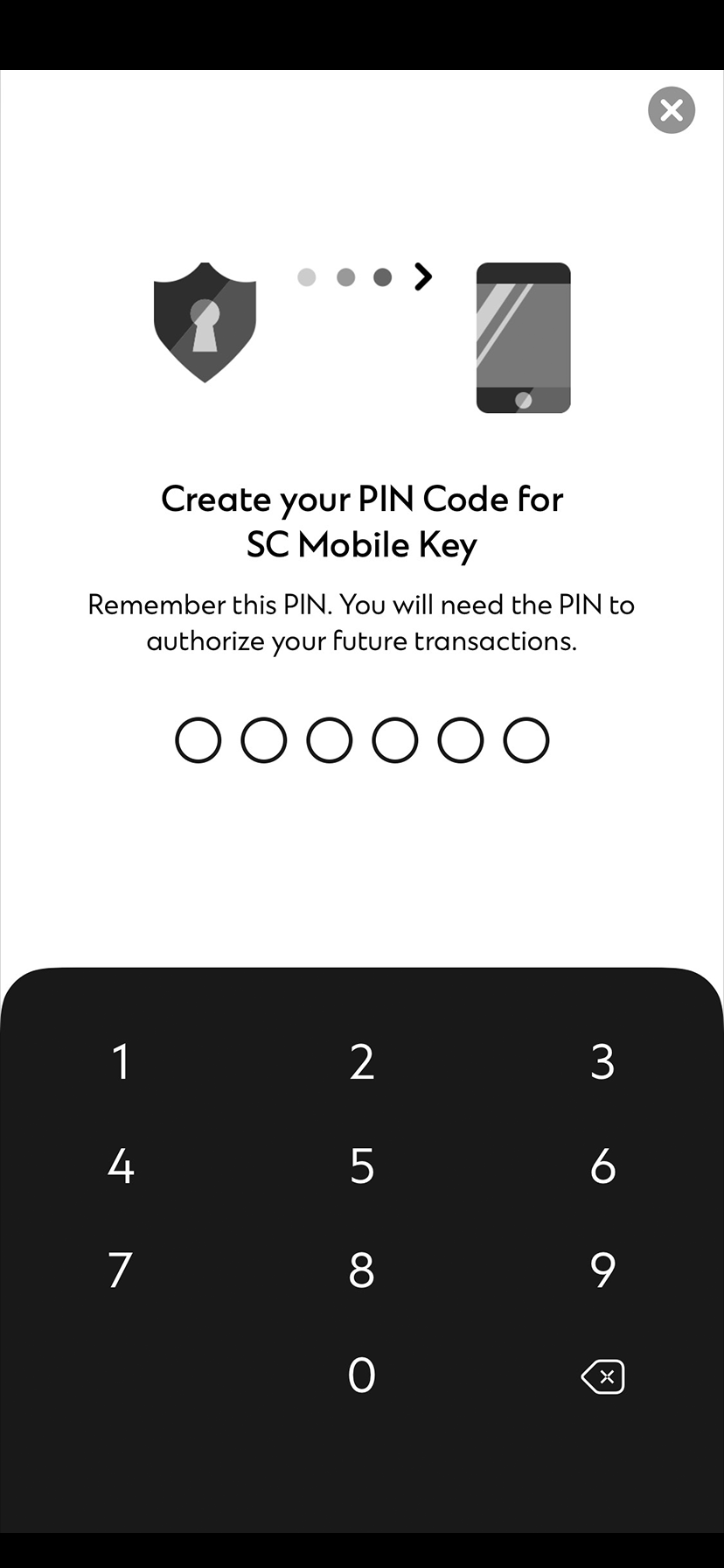
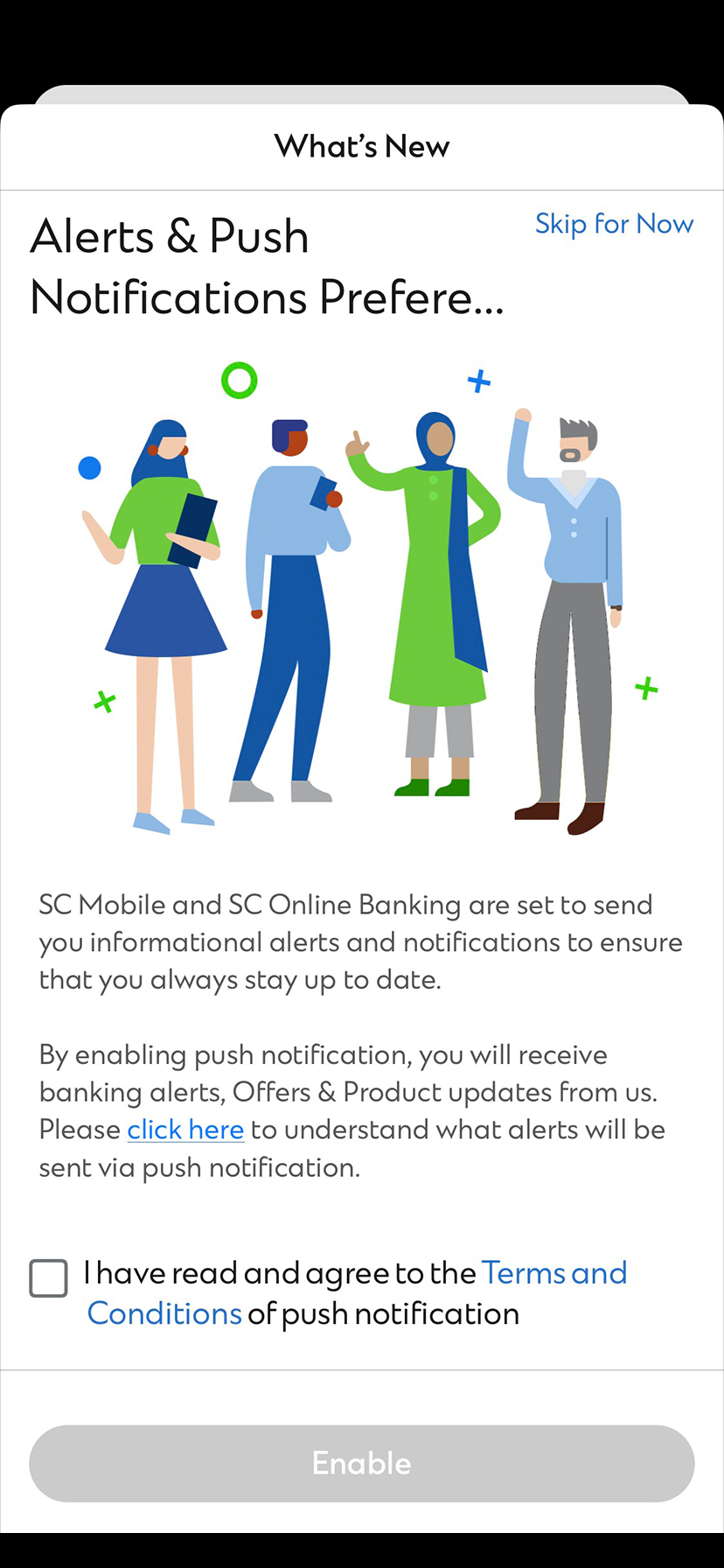
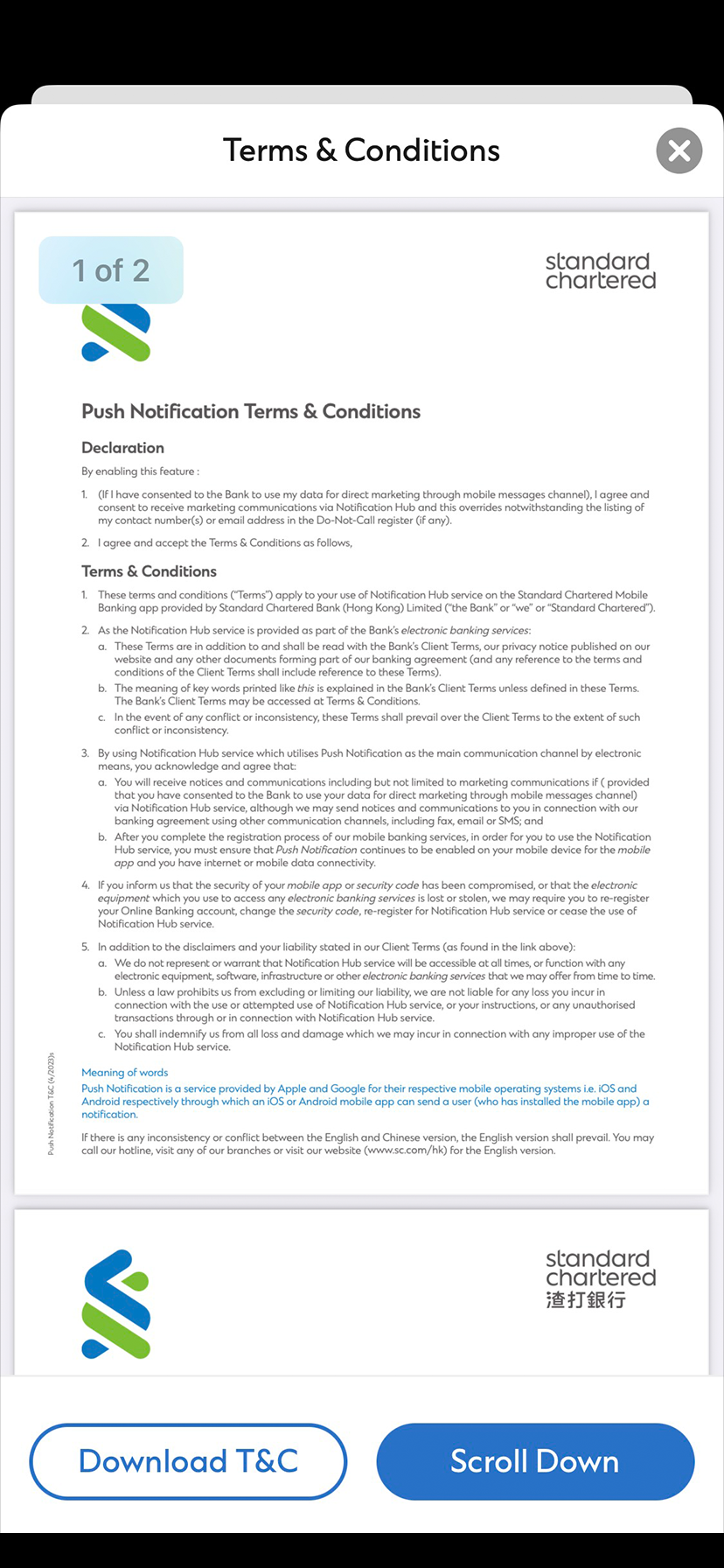
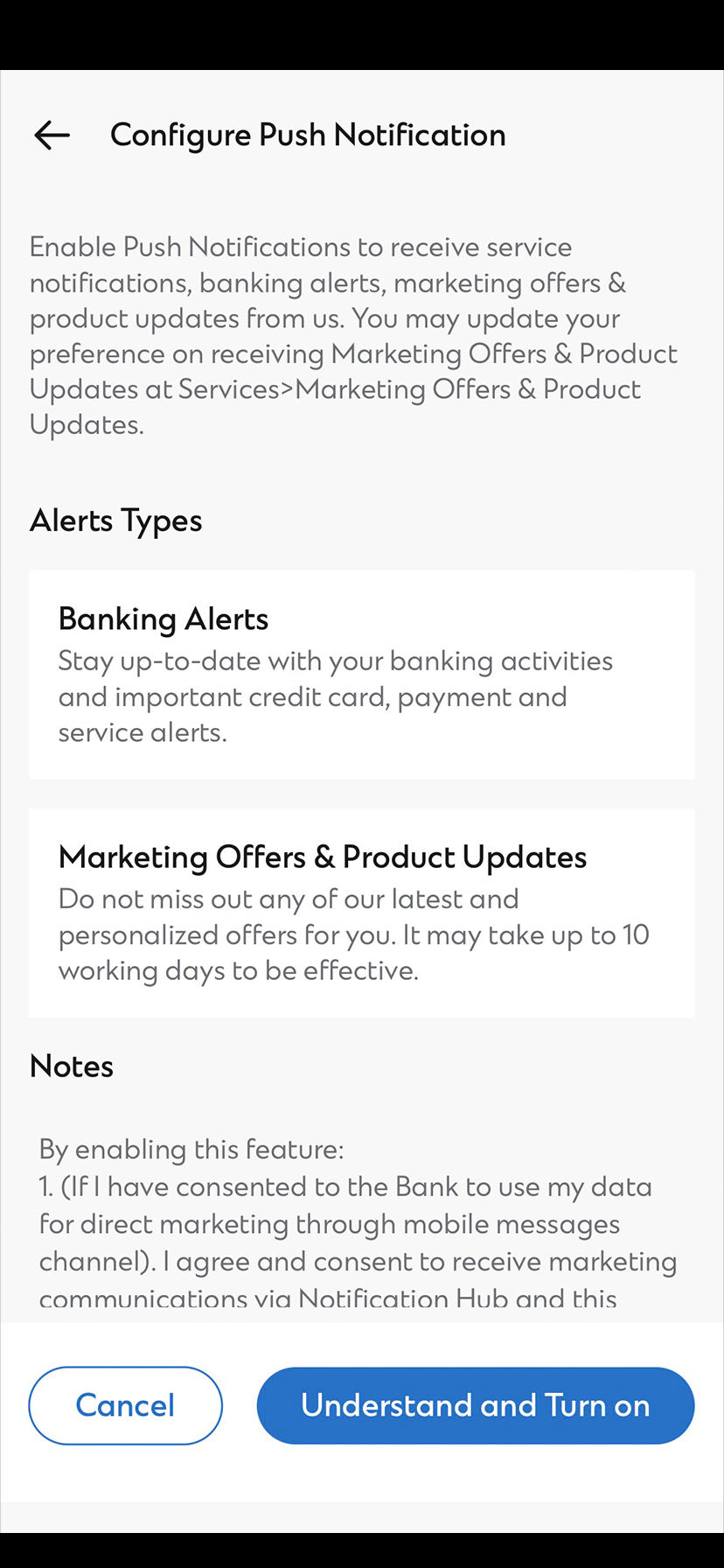
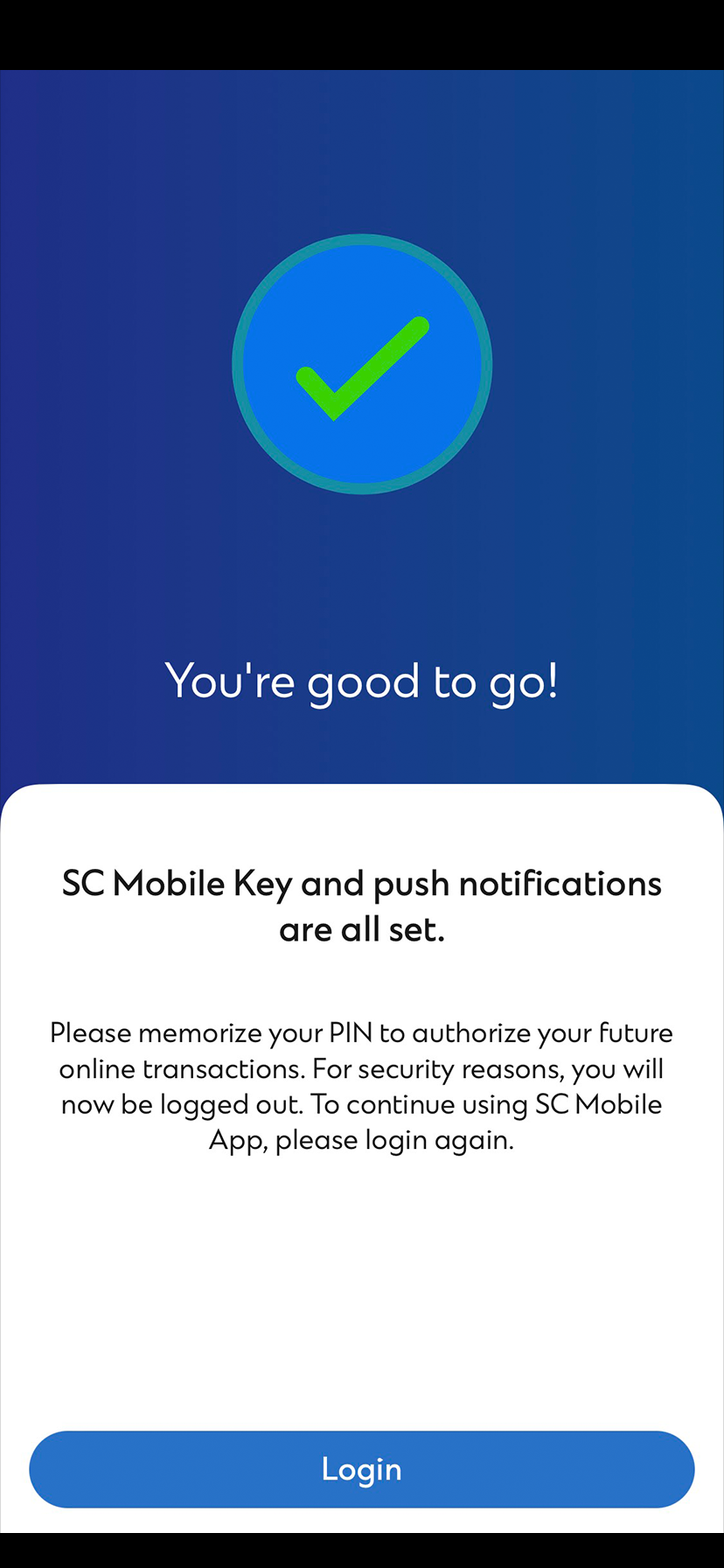
For existing SC Mobile App User
Manage Push Notification with a few clicks in Settings
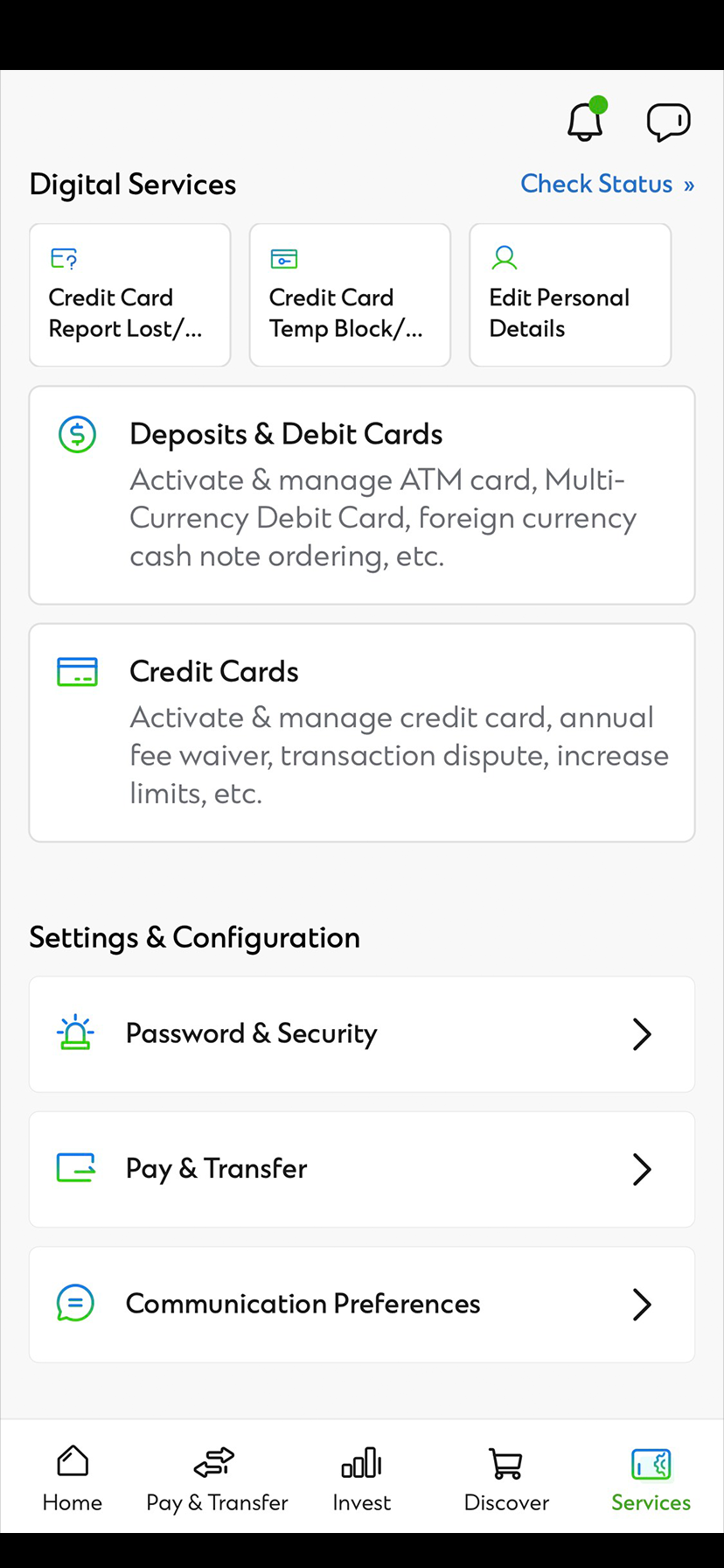
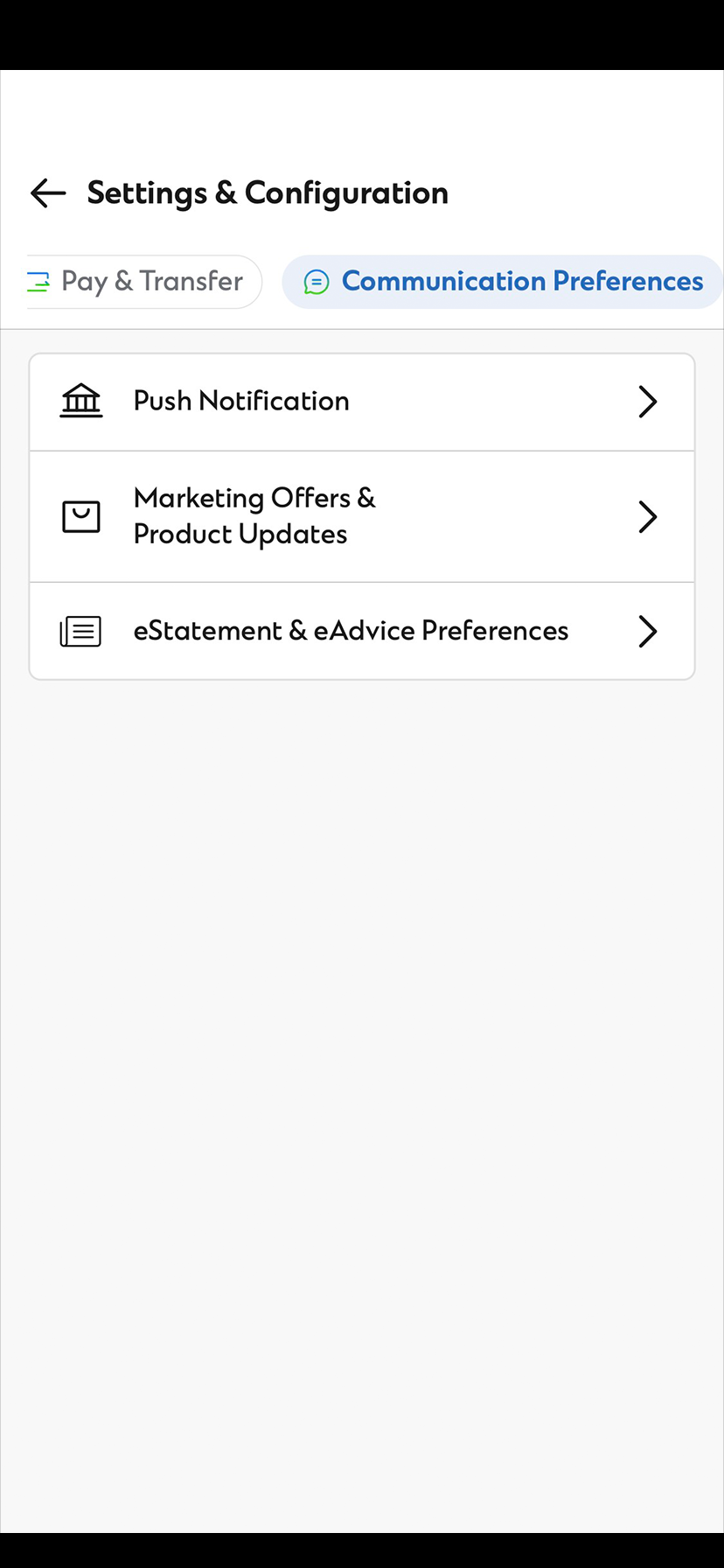
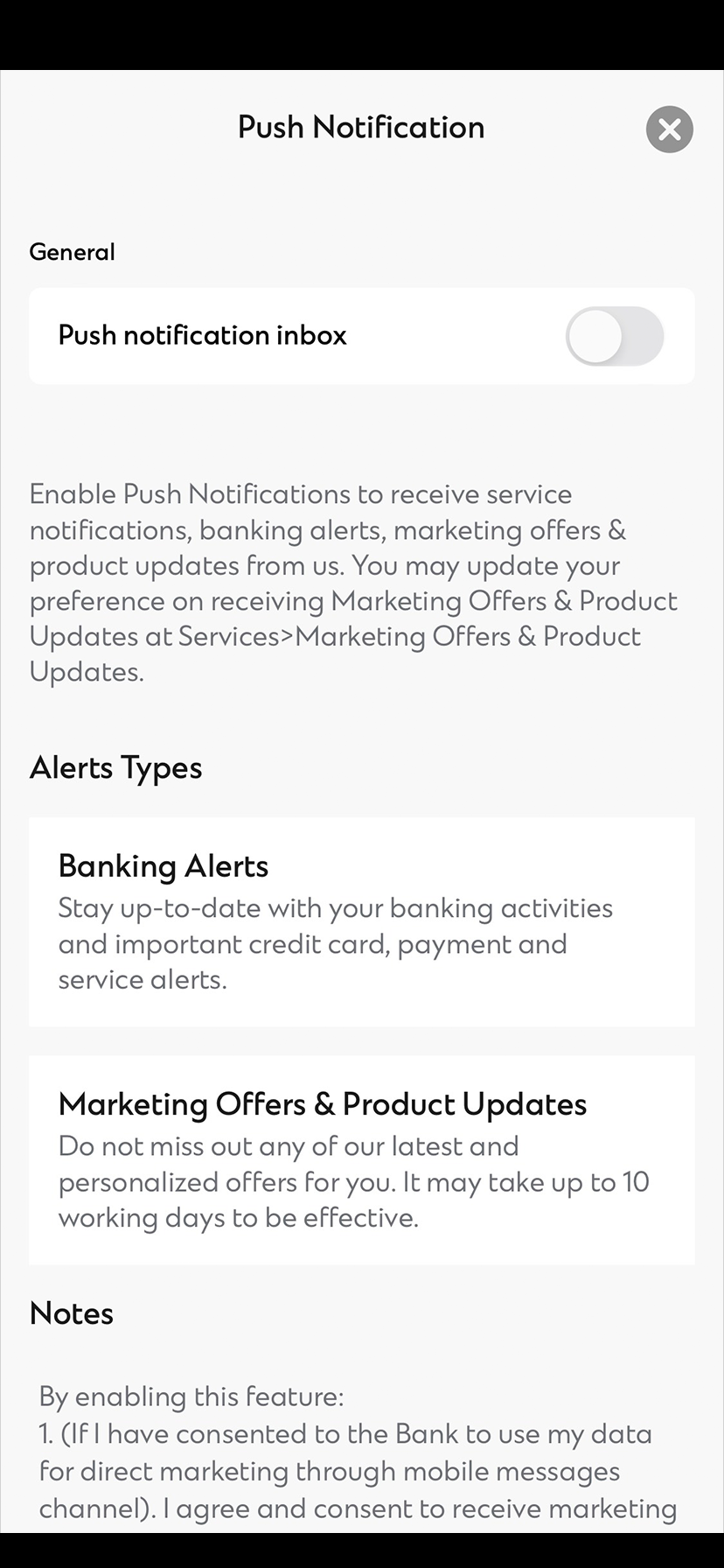
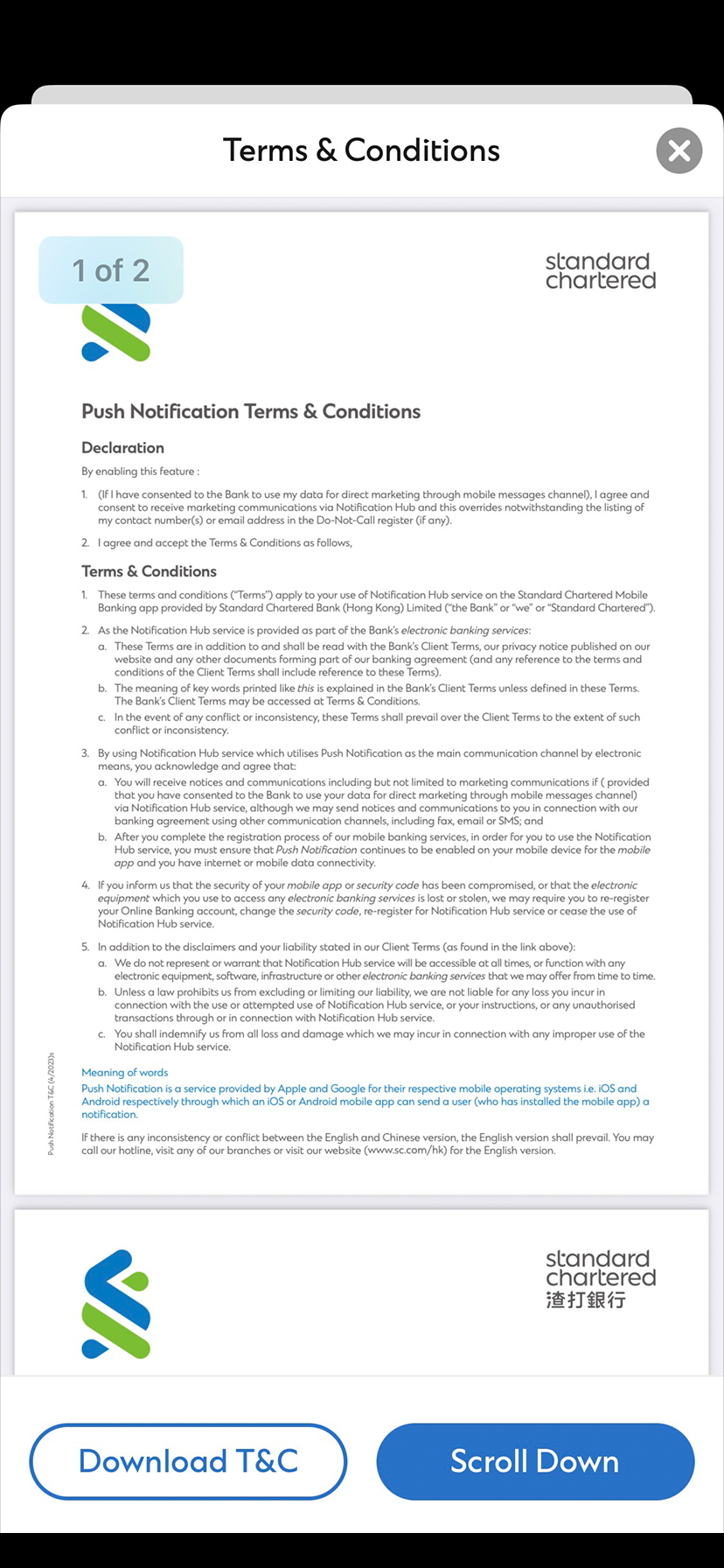
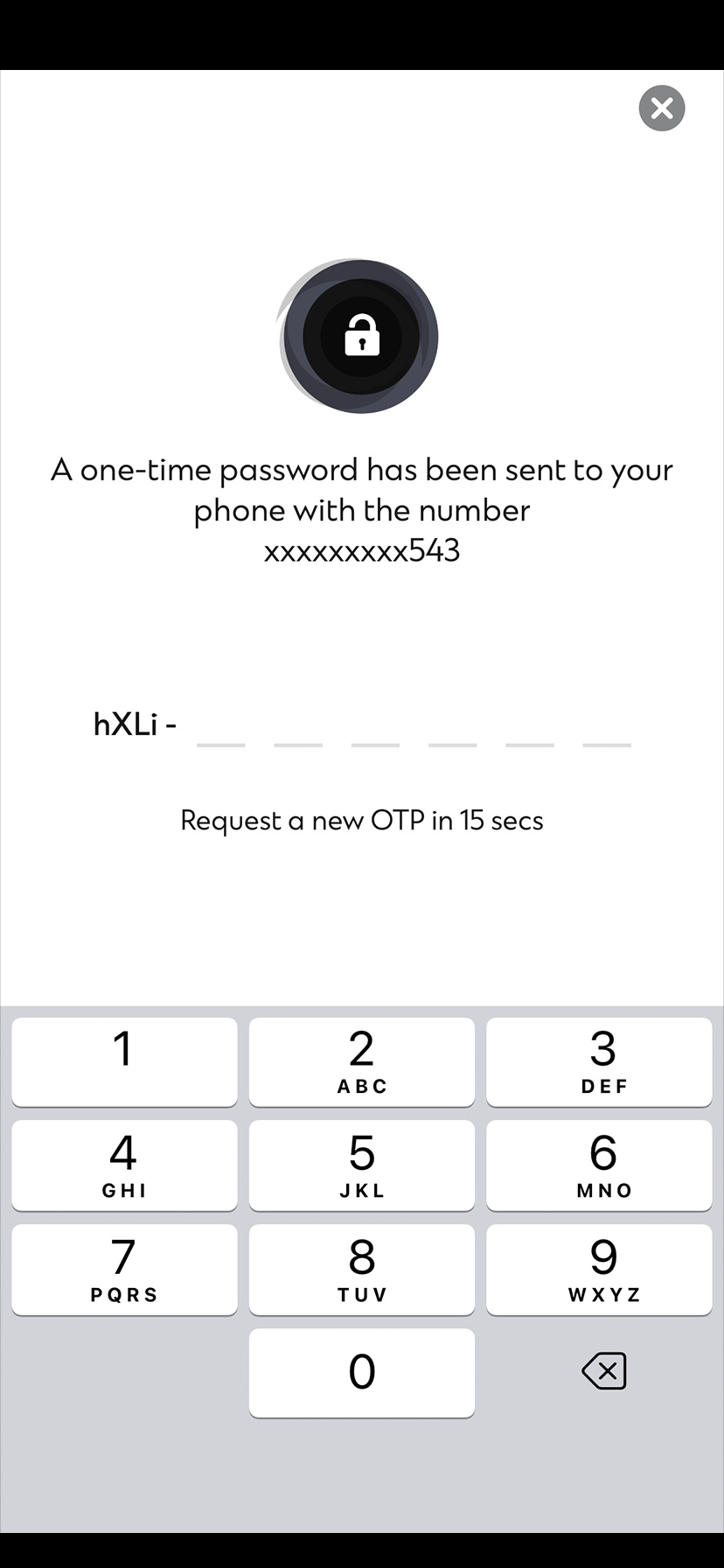
Manage Marketing Offers & Product Updates with a few clicks in Settings
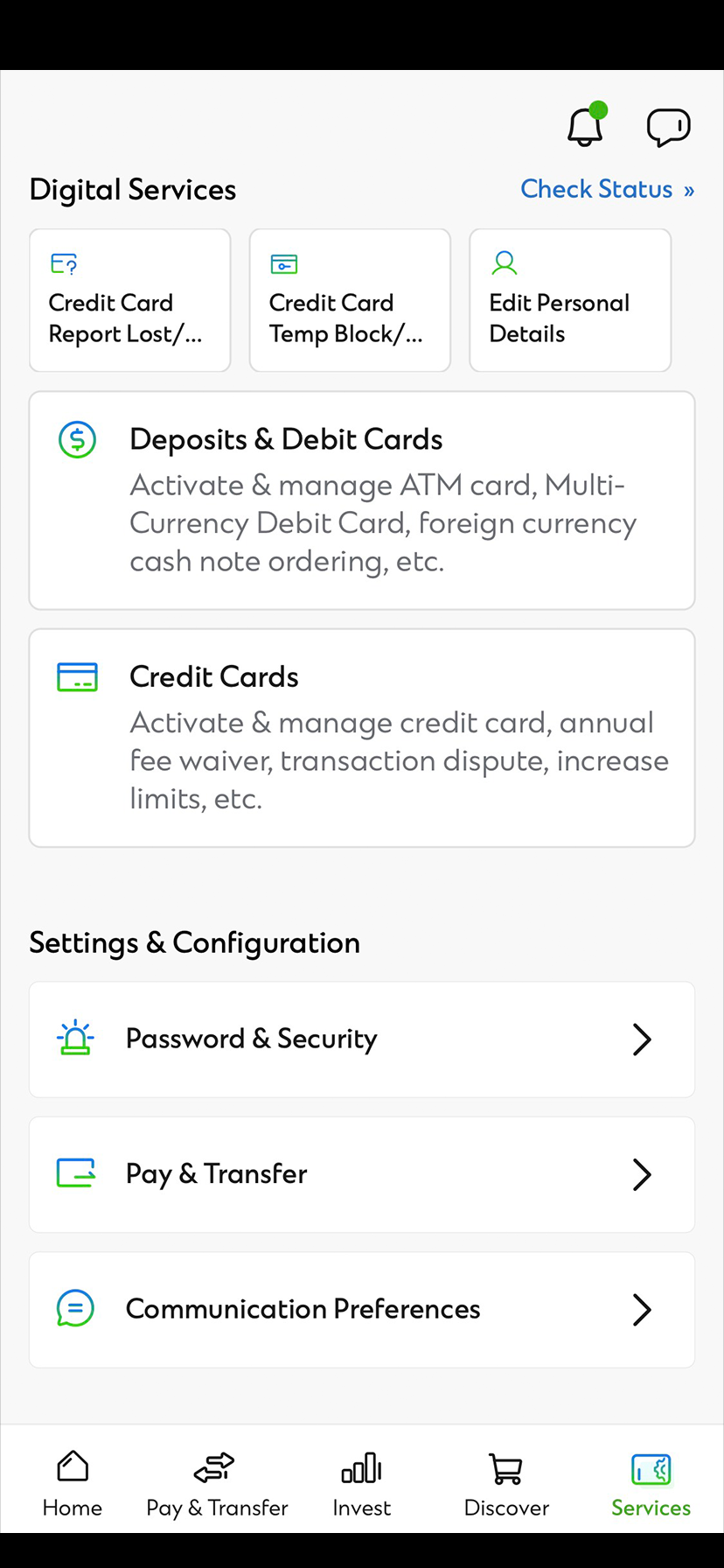
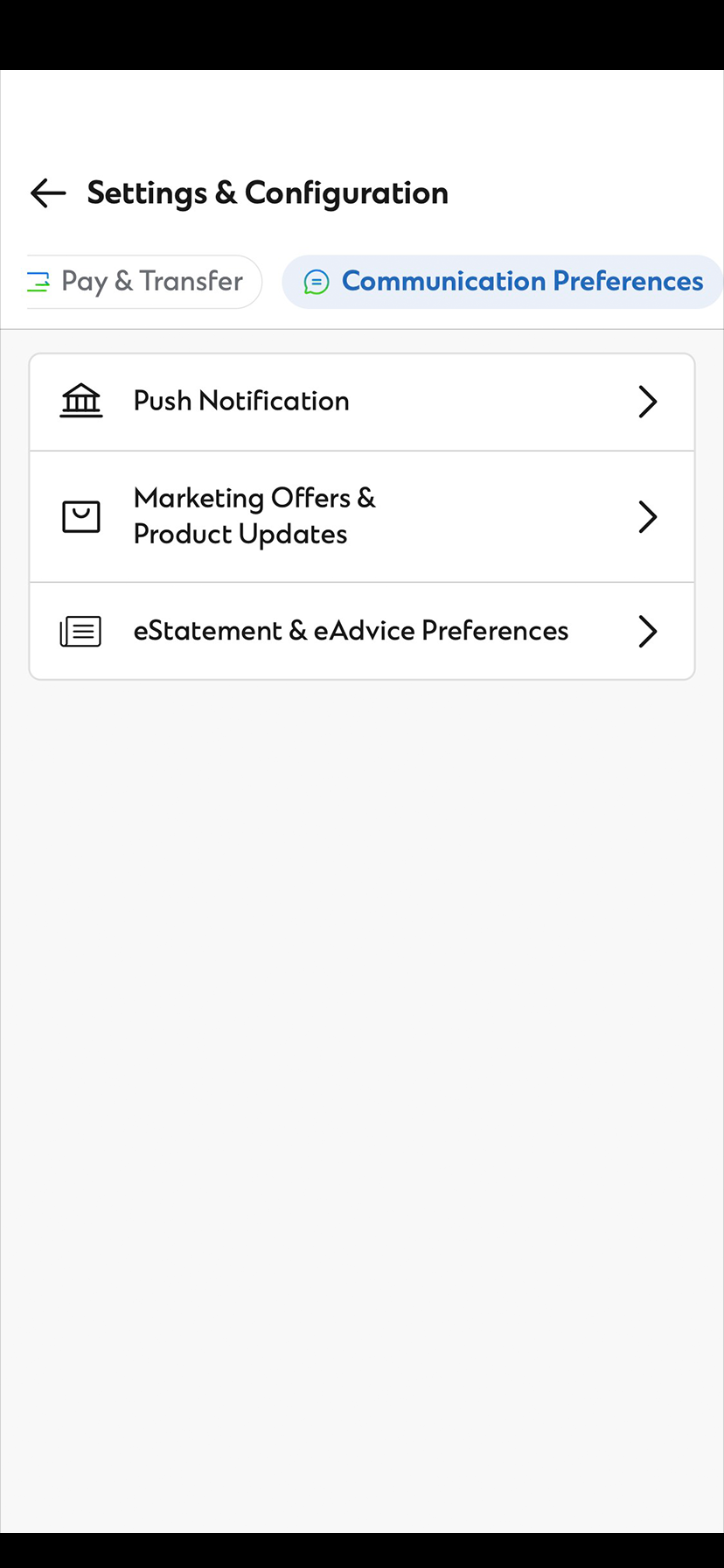
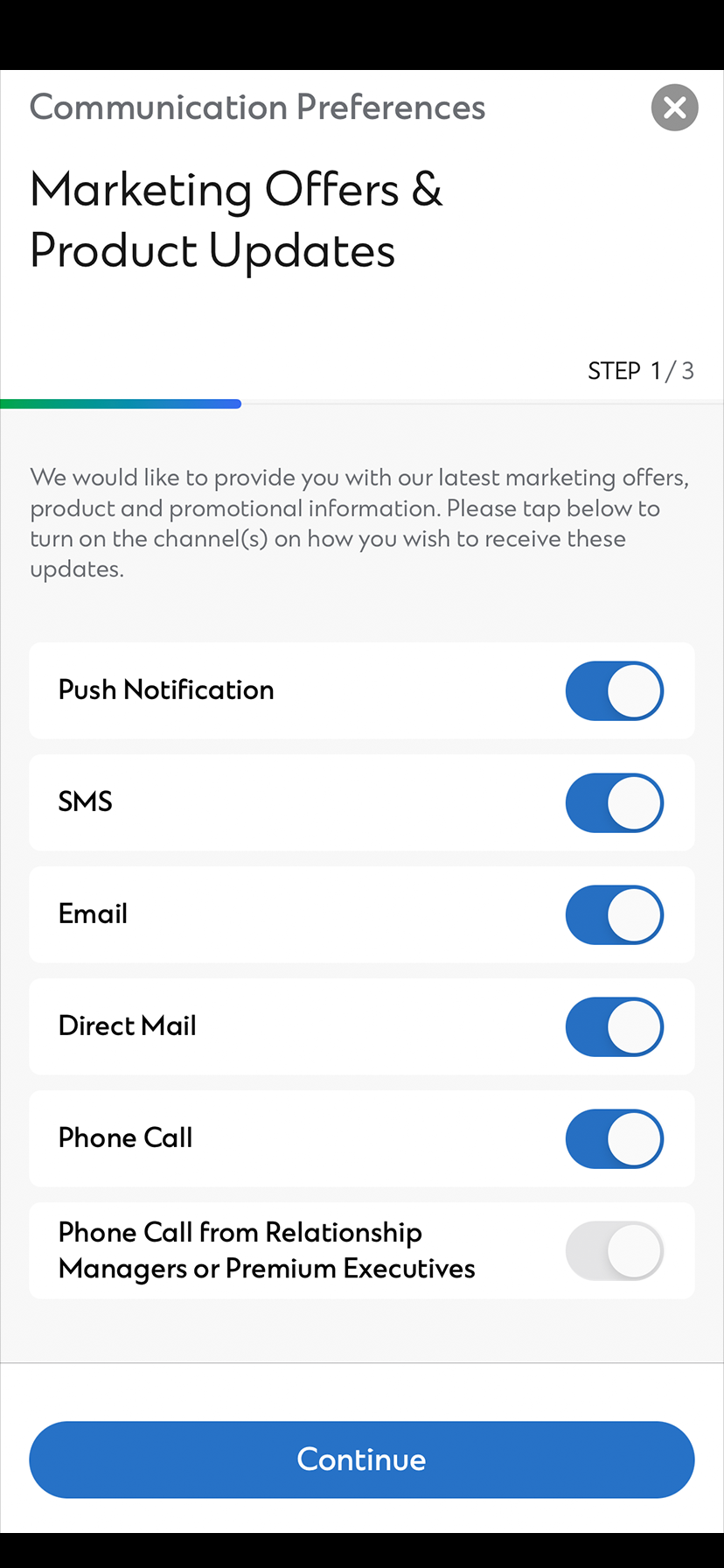
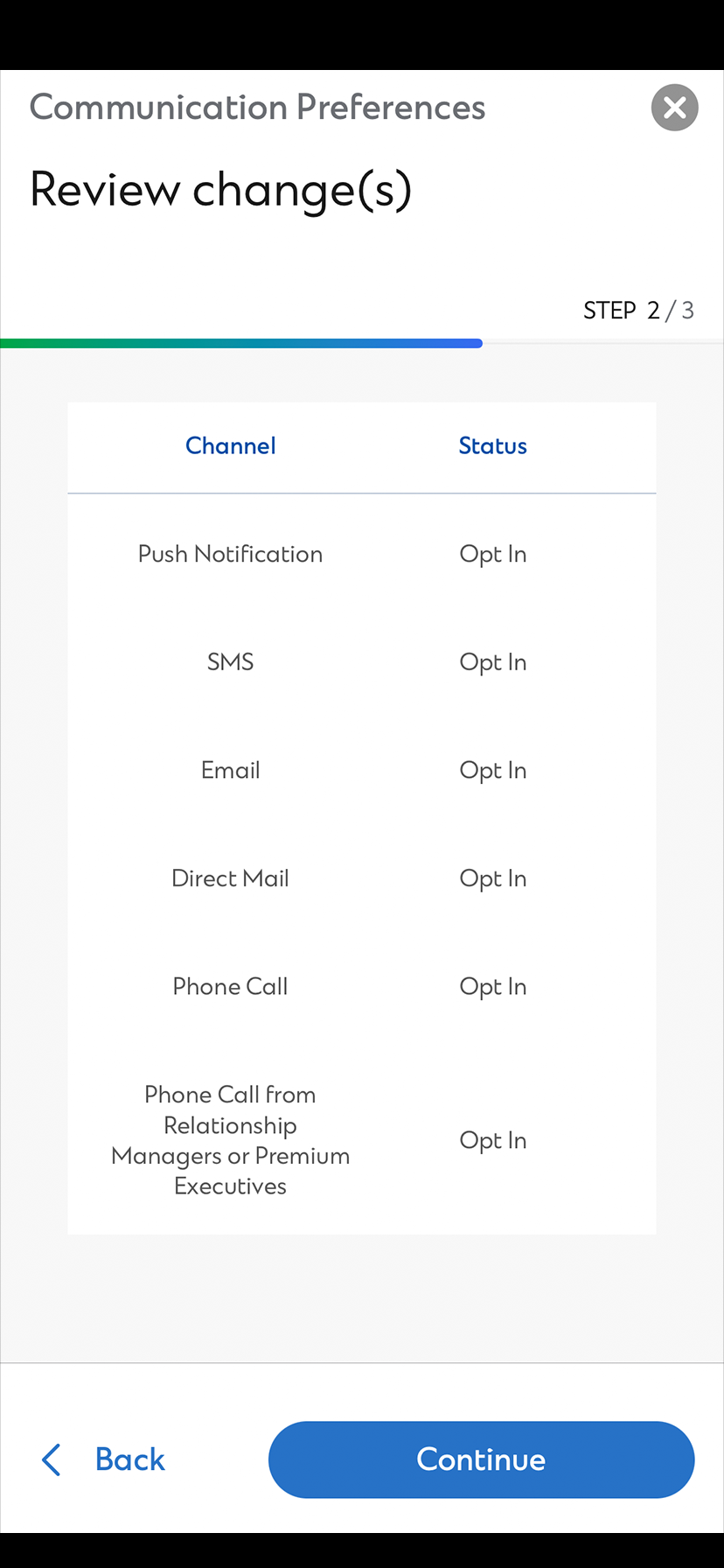
Receive banking alerts at ease
You can now receive SMS/Email alerts via push notification with SC Mobile app
Types of Alerts
| DEPOSIT ACCOUNT TRANSACTION ALERTS (APPLICABLE TO LOCAL AND OVERSEAS TRANSACTIONS) | |
|---|---|
| Bill Payment Alert
Notifies you after a bill payment is made with your designated bank account via online banking, automated phone banking or ATM. | Cash Withdrawal Alert
Notifies you after a cash withdrawal is made with your designated bank account via ATM. |
| Fund Transfer Alert
Notifies you after a fund transfer is made with your designated bank account via online banking, automated phone banking or ATM. | Purchase Alert
Notifies you the purchase is made with your designated bank account via EPS, UnionPay or Maestro networks. |
| Online Time Deposit Maturity Alert
Reminds you of the maturity date of your Online Time Deposit. You can renew by setting up Time Deposit online. | |
DEPOSIT ACCOUNT REMINDER ALERTS |
|---|
| Cheque Returned Alert
Notifies you after a cheque issued from/deposited to your designated bank account is returned. |
CREDIT CARD REMINDER ALERTS |
|---|
| Payment Due Date Alert
Reminds you of the payment due date of your designated credit cards. You can set when you want to receive the alert by number of days before due date. |
