Straight2Bank

How can Stacy help?¹
Got more questions? Chat with us live after login!
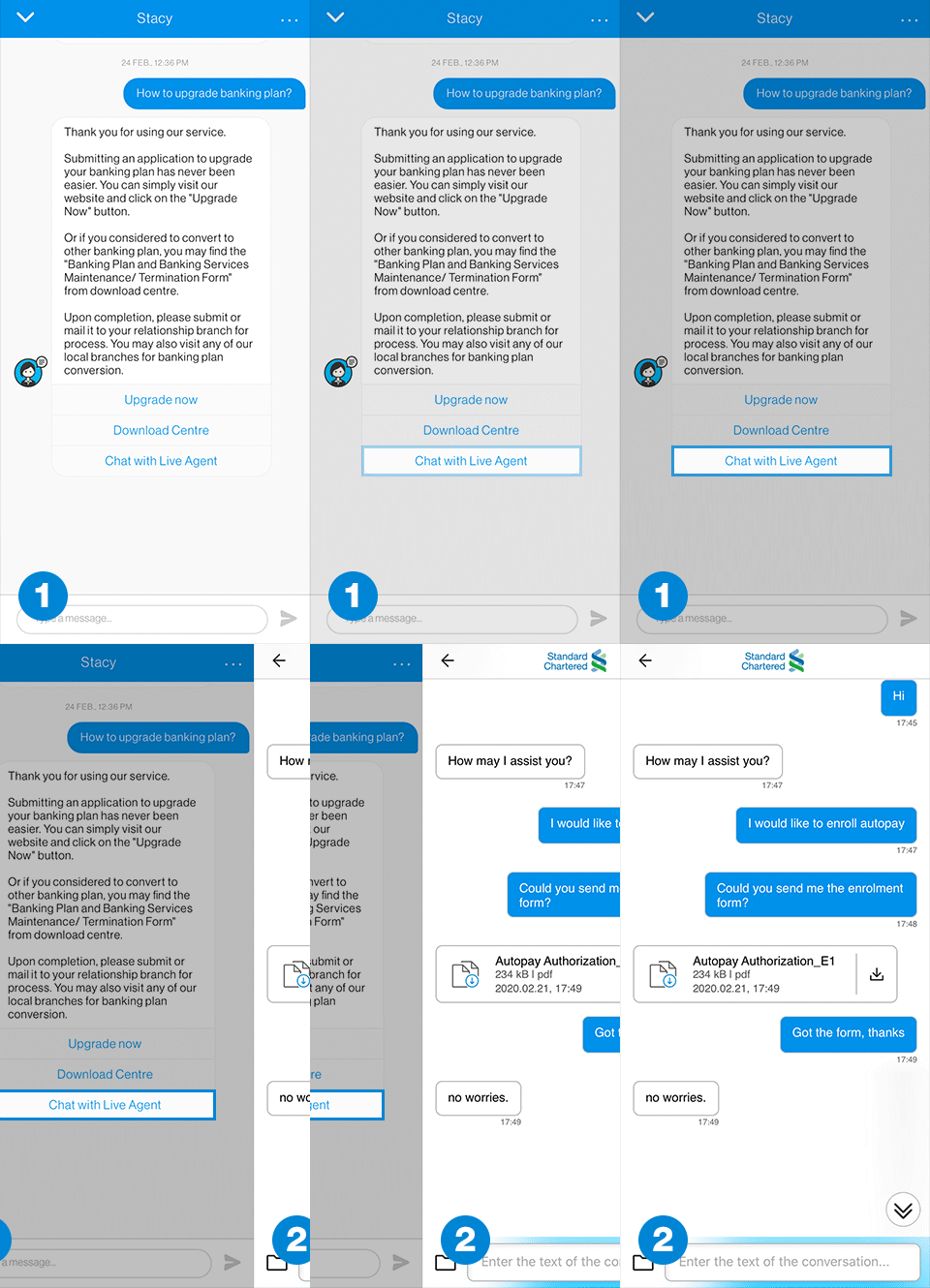
Chat with Live Agent
Hard to explain your problems? Chat with our Live Agent and share images or documents via the live chat. Even out of office hours, you may still leave us message with details¹, and push notification² will be sent to you once we have replied. You may also retrieve your chat history with us anytime¹.
 icon on the top right of the home screen) on SC Mobile App to start.
How can Stacy help you?

Find your nearby ATM & Branch
Stacy’ll tell you instantly the ATMs/ branches which are located near you and also provides you with the operation hours and services available with the ATM/ Branches.
Example of how you can ask Stacy:
- Nearby ATM
- Nearby priority banking branch
- Nearby Cash and Cheque Deposit Machines

Waive credit card fees
It is easier and a lot more convenient than before, Stacy’ll tell you how to waive your credit card fees.
Example of how you can ask Stacy:
- Waive annual fee
- Waive financial charge

Guide you to update personal info
Stacy'll guide you how to update your personal information including email and postal address via our digital banking platform.
Example of how you can ask Stacy:
- Update my address
- Update my email

Apply for a new product
It is so easy to get information regarding application for a new banking product. Stacy will provide you with the eligibility and offer details as well.
Example of how you can ask Stacy:
- How to apply Smart card?
- Smart Card eligibility

Show you ways to make your transfer
Stacy is always here at your service. She will guide you through step by step on how to complete a fund transfer in online banking platform or SC Mobile App.
Example of how you can ask Stacy:
- International Transfer
- Send money by FPS

Chat with Live Agent about your issue
Encounter any complex situation? No worries! You can choose to chat with our live agents online. (Mon-Fri : 0900-21:00; Sat & Sun & PH : 09:00-18:00.)
Find your nearby ATM & Branch
Stacy’ll tell you instantly the ATMs/ branches which are located near you and also provides you with the operation hours and services available with the ATM/ Branches.
Example of how you can ask Stacy:
- Nearby ATM
- Nearby priority banking branch
- Nearby Cash and Cheque Deposit Machines
Waive credit card fees
It is easier and a lot more convenient than before, Stacy’ll tell you how to waive your credit card fees.
Example of how you can ask Stacy:
- Waive annual fee
- Waive financial charge
Guide you to update personal info
Stacy'll guide you how to update your personal information including email and postal address via our digital banking platform.
Example of how you can ask Stacy:
- Update my address
- Update my email
Show you ways to make your transfer
Stacy is always here at your service. She will guide you through step by step on how to complete a fund transfer in online banking platform or SC Mobile App.
Example of how you can ask Stacy:
- International Transfer
- Send money by FPS
Apply for a new product
It is so easy to get information regarding application for a new banking product. Stacy will provide you with the eligibility and offer details as well.
Example of how you can ask Stacy:
- How to apply Smart card?
- Smart Card eligibility
FAQs – Virtual Assistant Stacy
Our clients’ safety and privacy are important to us, and we have ensured that Stacy is a secure platform. Stacy will not ask client to provide personal information such as account number and ID number.
Stacy is our virtual assistant which is available 24/7 to assist our clients.
Customer who registered for Standard Chartered Bank (HK) Online Banking can access to Stacy login functions.
You can access to Stacy’s login functions through the following channels:
- After login to Standard Chartered Online Banking
- After login to SC Mobile App
If you are on Standard Chartered websites, you can select your language preference at the upper right corner. If you are using Online Banking or SC Mobile App, you need to select your language preference before login.
Yes. If your inquiry is not related to your account information, you are not required to log in.
In the “pre-login” environment customer can
- make enquiry on products and general banking information,
- acquire knowledge on banking and financial glossary,
- search for ATM & branch locations.
In the “post- login” environment customer can additionally,
- check total account balance
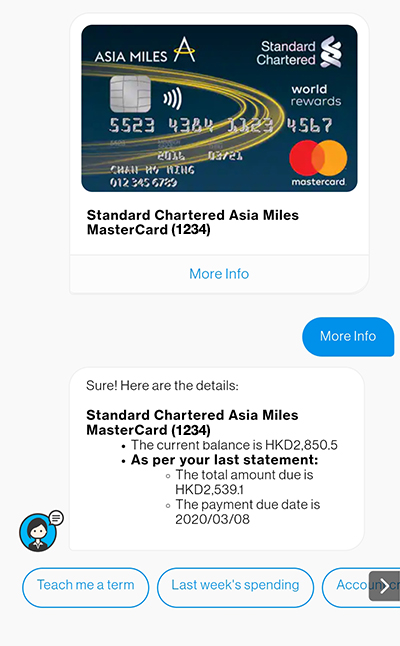
- check different account (excluding mortgage products and investment product) information such as, deposit tenor, maturity date, credit card payment & rewards.
Stacy is using Natural Language Processing (NLP) which is a branch of Artificial Intelligence to understand your enquiries and provide the most relevant response. Stacy is improving all the time by adding a set of data to its growing network during each conversation and every set helps finetune the accuracy of its response.
FAQs – Chat with Live Agent
Chat with Live Agent enables you to connect to our Live Agents through text chat in an authenticated environment. During your interactions with Stacy, you will be offered an option “Chat with Live Agent” when you may need further assistance.
While you are chatting with Stacy, you will be offered an option of “Chat with Live Agent”. Select that option and you will be brought into another Chat window and connect to Live Agent during the working hours. If Live Agent is not available at that moment, you may also leave an offline message with details, we will get back to you through text chat.
The working hours of Chat with Live Agent will be from 9am to 9pm (Monday to Friday) / 9am to 6pm ( Saturday, Sunday and Public Holiday). During non-working hours, you may also leave an offline message with details, Live Agent will get back to you on next working day through text chat.
If you have turned on Push Notification in SC Mobile App, you will be notified by the Push Notification when Live Agent responded to you.
Yes, after login online banking or SC Mobile App, you can retrieve the chat history by clicking “…” & “Chat History” at top right corner inside the chat window with Stacy.
Any of your personal data collected by the Bank from Chat with Live Agent at any time is subject to the Bank’s personal information collection and privacy policies: https://www.sc.com/hk/privacy-notice/.
Need more Help? Find out more on our FAQ
Manage your finances on the go
Experience SC Mobile App now

Scan QR code to download SC Mobile App now
for Android users without Google Play, please click here to download the Android application package (APK)