
 Straight2Bank
Quicker and simpler way to set up auto-payments to merchants
Set up Electronic Direct Debit Authorization on Standard Chartered Mobile Banking or Online Banking in a shorter time and authorize more conveniently.
Direct Debit Authorization (DDA) and Electronic Direct Debit Authorization (eDDA)

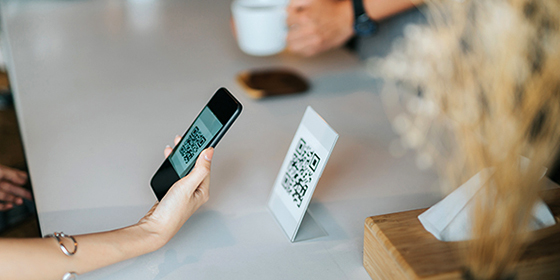
How to set up eDDA on SC Online Banking

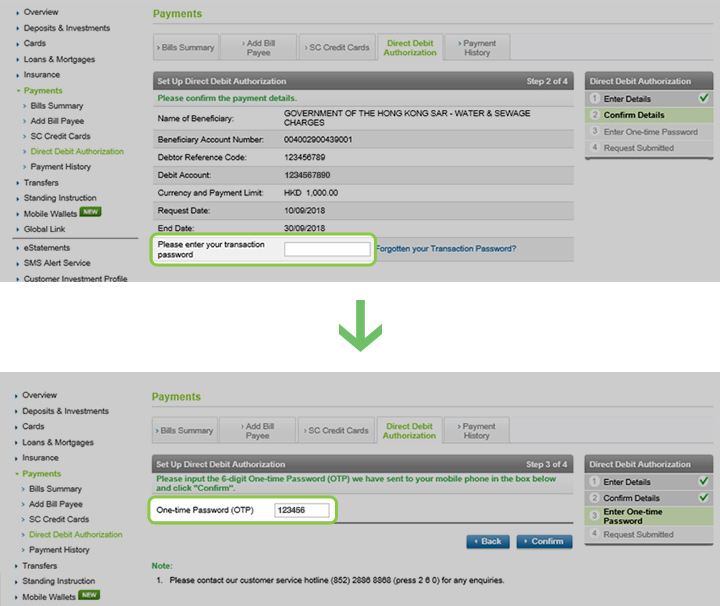
How to set up eDDA on SC Online Banking
How to approve pending eDDA on SC Mobile App
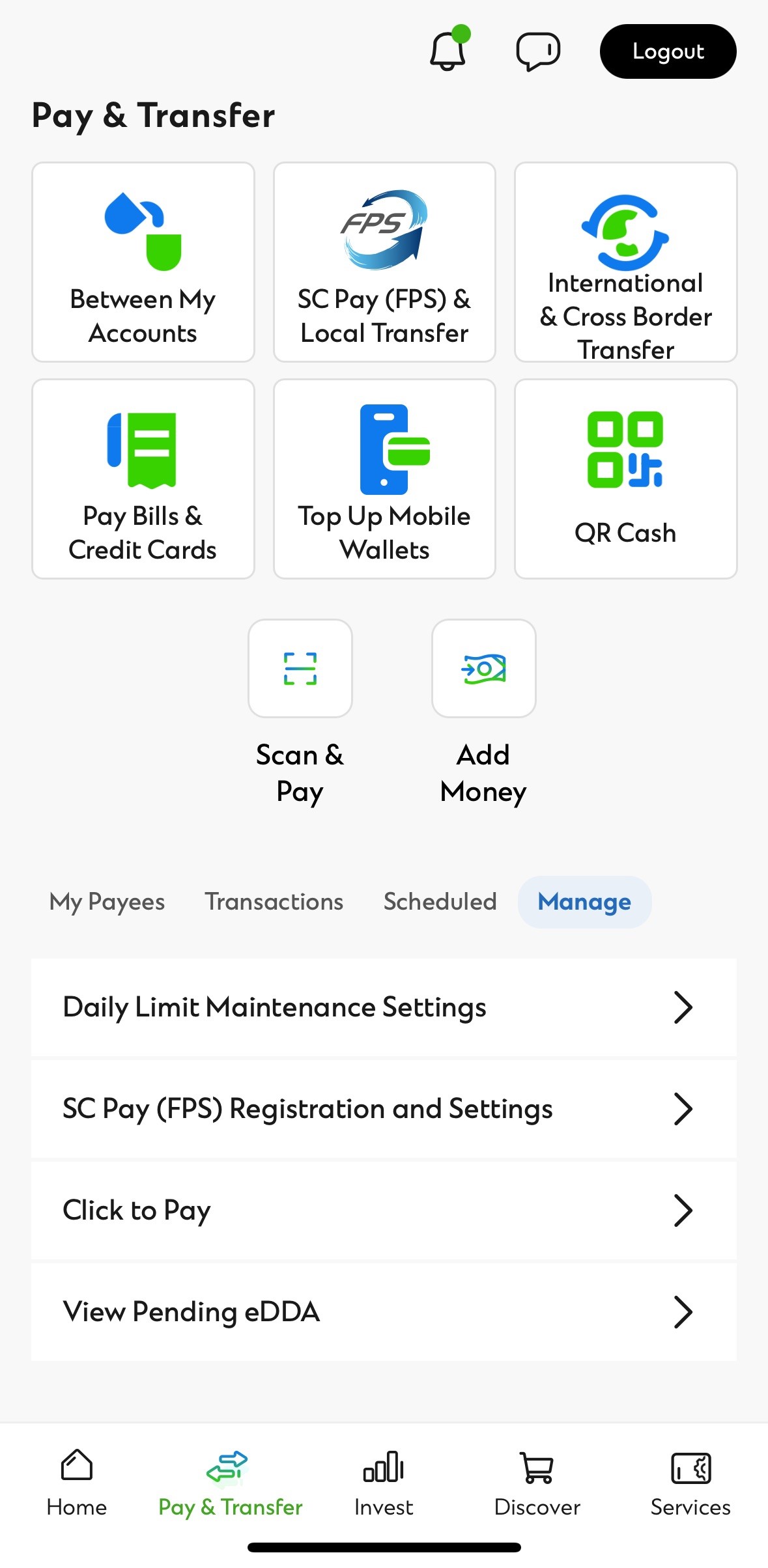
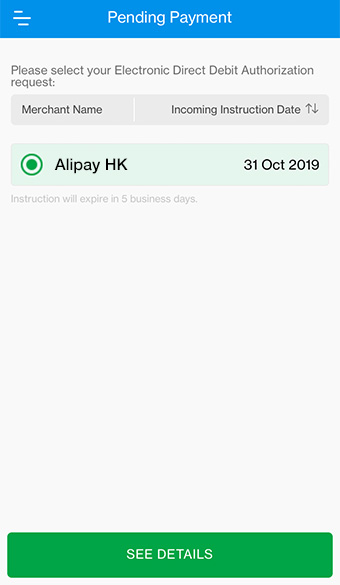
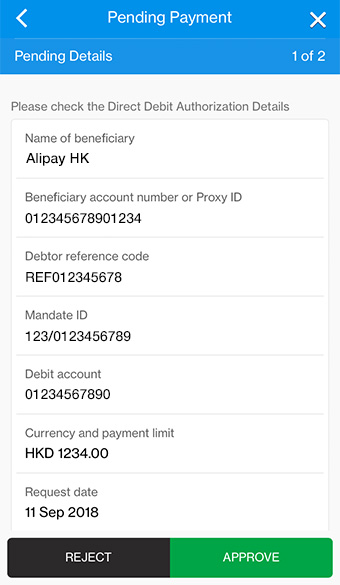
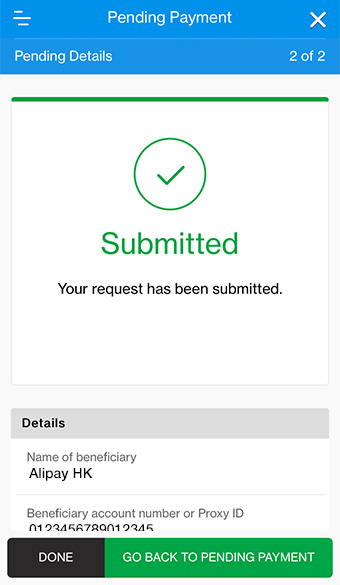
How to approve pending eDDA on SC Mobile App
How to approve pending eDDA on SC Online Banking
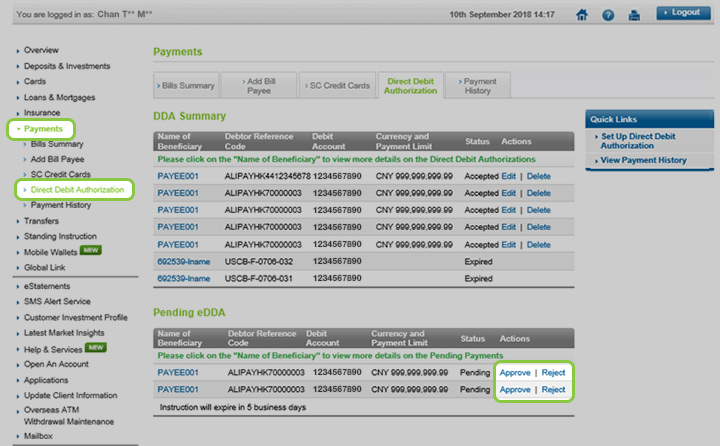

How to approve pending eDDA on SC Online Banking
Manage your finances on the go
Experience SC Mobile App now

Scan QR code to download SC Mobile App now
for Android users without Google Play, please click here to download the Android application package (APK)



Direct Debit Authorization FAQs
Same as existing branch and mail‑in for DDA setup via Online Banking is also free of charge.
The maximum payment limit for Online Banking DDA setup is at HKD100,000 per each payment. If you would like to setup DDA with payment limit exceeding HKD100,000, you may download and complete the “Autopay Authorization” form, then return it to any of our branches for processing.
Yes, you can setup/amend a DDA without specify an end date where the instruction will carry on indefinitely until the bank have received your instruction for termination.
Yes, you can amend / cancel for those DDA setup at branch via online.
Note:
Amendment on payment limit is capped at HKD100,000 via Online Banking. For payment limit exceeding this amount, you can complete the “Direct Debit Authorization Amendment/Cancellation” form to any of our branches for processing.
Once your instruction has been accepted by the Bank, it will take up to 2 – 4 weeks before the DDA setup will be effective. You may contact the merchant to further enquire the DDA setup status.
