Straight2Bank

Deposits Requirements & Documents
GENERAL REQUIREMENTS
Deposits FAQs
| CURRENCY | SAVINGS ACCOUNT | CURRENT ACCOUNT* |
|---|---|---|
| HKD | HKD1,000 | |
| RMB | RMB1,000 | |
| Japanese Yen | JPY20,000 | N/A |
| Other Foreign Currencies | 200 of that currency (e.g. USD200) | |
*Foreign currency current account is only available in USD and Renminbi.
Remarks: The above minimum required amount for account opening does not apply to overseas clients. For details regarding the minimum account opening amount for overseas clients, please contact our branch staff or Relationship Managers.
Rate Enquiry FAQs
Time Deposits FAQs
| CURRENCY | MINIMUM DEPOSIT |
|---|---|
| HKD | HKD 10,000 |
| RMB | CNY 10,000 |
| Foreign Currency(except Japanese Yen) | 2,000 of that currency
(e.g. USD 2,000; GBP 2,000) |
| Japanese Yen | JPY 200,000 |
There are 3 types of maturity instructions:
- Renew principal plus interest at prevailing rate for same term unless otherwise advised.
- Renew principal at prevailing rate for same term, credit interest to same currency account.
- Credit principal and interest to same currency account number
For any other amendments or enquiries regarding your maturity instructions, please call our Customer Service Hotline at (852) 2886 8868 .
Money Safe FAQs
Money Safe is the latest anti-fraud and scam security feature introduced by HKMA to help you better protect your funds. By activating Money Safe, you cannot use the account for any types of outgoing payment and transfer transactions via any channels, including but not limited to:
- Transfer to own SCBHK account
- SC Pay (FPS) and Scan & Pay
- Cash Withdrawal, including QR cash (cardless withdrawal);
- Local and Cross-border Fund Transfer to any 3rd party account(s);
- Direct Debit Authorization, Standing Instruction and Schedule Transfer set before and after Money Safe effective date
- Cheque, including the uncleared cheques issued before Money Safe effective date
- Mortgage, Personal Loan and Credit card repayment
- Bill Payment
- PPS & EPS Payment
Until you submit a deactivation request at branch in person.
All types of savings and current account are eligible for Money Safe.
Yes, funds crediting into the account is not affected.
The account will not be automatically closed after the end of the Bonus Period. It will be converted to an ordinary Statement Savings Account where the Bank’s prevailing savings interest rates will then apply.
You must visit any of our branches and submit a request in person. In case you wish to de-activate Money Safe for a joint- name both-to-sign account, all accounts holders must be present for verification purpose.
These transactions will automatically resume. You do not need to resubmit instruction again.
Sorry, you must visit branch to submit a de-activation request in person, as we must conduct face-to-face verification of your identity before we can proceed to de-activate the service.
You can activate Money Safe via branch , calling to (852)2886-8888 or contacting our Live Agent, and your request will be completed in 3 working days. In the event of a suspected fraud and you need immediate assistance to protect your funds, you can login to Online Banking or SC Mobile App to deactivate your ATM card, call (852)2886-8888 to suspend your digital banking account.
Your request will be completed latest within 3 working days.
Sorry, we cannot support blocking any partial account funds for now. If you still wish to utilize Money Safe to protect your funds, you can consider opening a new account or selecting one of your accounts for such purpose.
You must first re-deactivate Money Safe, transfer out the needed amount of funds then re-apply for Money Safe activation on the account.
Yes, you can activate Money Safe for your dormant account (s). It will not trigger account re-activation.
Money Safe for Time Deposit account is not available at this moment.
Yes, you can do so provided that the Bank is able to authenticate your identity following existing procedures.
In case you wish to close the account, we will need to de-activate Money Safe before proceeding on account closure.
Forms and Documents
OTHER SERVICES FORMS AND DOCUMENTS | |
|---|---|
| Account Opening Application | Download PDF |
| Account Opening Form Supplement | Download PDF |
| US Status Declaration Form | Download PDF |
| CRS Self Certification – Individual | Download PDF |
| Customer Consent and Declaration Form – For FATCA Purpose | Download PDF |
| Autopay Authorization
Now you can setup Direct Debit Authorization online. Simply login to Standard Chartered Online Banking and click “Payments” -> “Direct Debit Authorization” to submit your requests. You can also read the user guide for more details. | Apply via Online Banking |
| Download PDF | |
| Change of Contact Information Form for Individual Client (except Insurance and MPF Services)
Now you can change your contact information, such as address, phone numbers and email address online. Simply login to Standard Chartered Online Banking and click “Update Client Information” -> “Update Profile” to submit your requests. You can also watch the “TeachMe” video for more details. | Download SC Mobile App |
| Apply via Online Banking | |
| Download PDF | |
| Personal Data (Privacy) Ordinance – Direct Marketing Opt-out / Opt-in Request Form | Download PDF |
| Cross-Border Direct Debit Authorisation | Download PDF |
| Direct Debit Authorisation Amendment / Cancellation | Download PDF |
| Request Form for Report Mis-Transferred Transaction
For Private Banking clients, please contact your private banker. | Download PDF |
| New Standing Instruction
Now you can set up Standing Instruction online. Simply login to Standard Chartered Online Banking and click “Standing Instruction” to submit your requests. You can also watch the “TeachMe” video for more details. | Apply via Online Banking |
| Download PDF | |
| Standing Instruction Amendment / Cancellation Form
Now you can amend or cancel your Standing Instruction online. Simply login to Standard Chartered Online Banking and click “Standing Instruction” to submit your requests. You can also watch the “TeachMe” video for more details. | Apply via Online Banking |
| Download PDF | |
| Individual Customer Authority and Indemnity | Download PDF |
| Consolidated Statement Amendment / Deletion Form | Download PDF |
| Remittance Application Form
You can now apply for remittance online via SC Mobile App/Online Banking (Learn more). You can also click here for the guide of filling the PDF Remittance Application Form. Please return the filled form to one of our branches. | Download SC Mobile App |
| Apply via Online Banking | |
| Download PDF (Right click and save the form to your computer) | |
| Outward Remittance Cancellation / Amendment Request Form
Please return the filled form to one of our branches. | Download PDF |
| HKD Cheque Book Request Form
Now you can order HKD Cheque Book online or via SC Mobile. Simply login to Standard Chartered Online Banking and click “Help & Services” -> “Cheque Book Request” to submit your requests. For SC Mobile, please click “Services” -> “Service Request” to submit your request after login. You can also watch the “TeachMe” video for SC Mobile version. | Download SC Mobile App |
| Apply via Online Banking | |
| Download PDF | |
| Personal Renminbi Cheque Book Request Form
Now you can order Renminbi Cheque Book online or via SC Mobile. Simply login to Standard Chartered Online Banking and click “Help & Services” -> “Cheque Book Request” to submit your requests. For SC Mobile, please click “Services” -> “Service Request” to submit your request after login. You can also watch the “TeachMe” video for SC Mobile version. | Download SC Mobile App |
| Apply via Online Banking | |
| Download PDF | |
| USD Cheque Book Request Form
Now you can order USD Cheque Book online or via SC Mobile. Simply login to Standard Chartered Online Banking and click “Help & Services” -> “Cheque Book Request” to submit your requests. For SC Mobile, please click “Services” -> “Service Request” to submit your request after login. You can also watch the “TeachMe” video for SC Mobile version. | Download SC Mobile App |
| Apply via Online Banking | |
| Download PDF | |
| Update Daily Online Transfer Limits in SC Mobile App & Online Banking
After login, you can find “Daily Limit Maintenance” under “Settings” in SC Mobile App or “My Preferences” in Online Banking. Please click here to learn more. | Download SC Mobile App |
| Apply via Online Banking | |
| Online Banking / Phone Banking 3rd Party Accounts Registration
You can now register payees online. After login to Online Banking, go to ‘Transfers’ then ‘Local Accounts’ and select ‘Add Local Account Payee’. | Apply via Online Banking |
| Download PDF (For Phone Banking clients without Online Banking) | |
| eStatement Service / Securities eDocuments Service Subscription / Maintenance
Now you can subscribe or update eStatement /Securities eDocuments Services online.For eStatement, simply login to Standard Chartered Online Banking/SC mobile , click “eStatements” -> “Subscribe” to submit your requests. Please click here to learn more. • For both-to-sign joint account holders, please login to Standard Chartered Online Banking/SC mobile to download the eStatement Service / Securities eDocuments Service Subscription / Maintenance form under “eStatements” > “Subscribe” , and submit the form to us via mail. • For Securities eDocuments, simply login to Standard Chartered Online Banking and click “Securities Services” -> “Manage”->”Securities eDocuments” to submit your requests. Please click here to learn more. | Download SC Mobile App |
| Apply via Online Banking | |
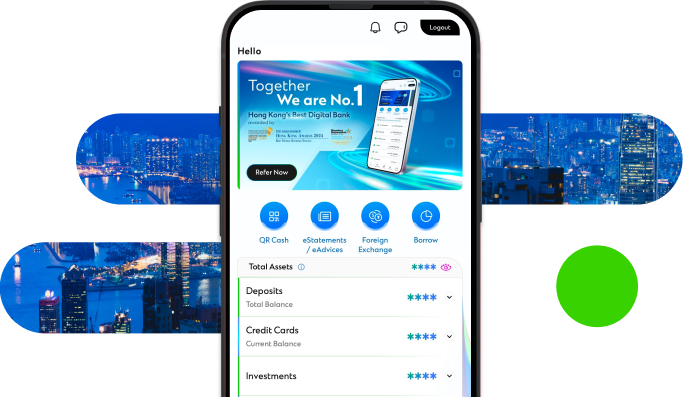
Manage your finances on the go
Experience SC Mobile App now

Scan QR code to download SC Mobile App now
for Android users without Google Play, please click here to download the Android application package (APK)