Straight2Bank

OTHER SERVICES FORMS AND DOCUMENTS
| |
|---|---|
| Change of Contact Information Form for Individual Client (except Insurance and MPF Services) Now you can change your contact information, such as address, phone numbers and email address online. Simply login to Standard Chartered Online Banking and click “Update Client Information” -> “Update Profile” to submit your requests. You can also watch the “TeachMe” video for more details. | Download SC Mobile App |
| Apply via Online Banking | |
| Download PDF | |
| Account Opening Application | Download PDF |
| Account Opening Form Supplement | Download PDF |
| US Status Declaration Form | Download PDF |
| CRS Self Certification – Individual | Download PDF |
| Customer Consent and Declaration Form – For FATCA Purpose | Download PDF |
| Autopay Authorization Now you can setup Direct Debit Authorization online. Simply login to Standard Chartered Online Banking and click “Payments” -> “Direct Debit Authorization” to submit your requests. You can also read the user guide for more details. | Apply via Online Banking |
| Download PDF | |
| Personal Data (Privacy) Ordinance – Direct Marketing Opt-out / Opt-in Request Form | Download PDF |
| Cross-Border Direct Debit Authorisation | Download PDF |
| Direct Debit Authorisation Amendment / Cancellation | Download PDF |
Request Form for Report Mis-Transferred Transaction For Private Banking clients, please contact your private banker. | Download PDF |
| New Standing Instruction Now you can set up Standing Instruction online. Simply login to Standard Chartered Online Banking and click “Standing Instruction” to submit your requests. You can also watch the “TeachMe” video for more details. | Apply via Online Banking |
| Download PDF | |
| Standing Instruction Amendment / Cancellation Form Now you can amend or cancel your Standing Instruction online. Simply login to Standard Chartered Online Banking and click “Standing Instruction” to submit your requests. You can also watch the “TeachMe” video for more details. | Apply via Online Banking |
| Download PDF | |
| Individual Customer Authority and Indemnity | Download PDF |
| Consolidated Statement Amendment / Deletion Form | Download PDF |
| Remittance Application Form You can now apply for remittance online via SC Mobile App/Online Banking (Learn more). You can also click here for the guide of filling the PDF Remittance Application Form. Please return the filled form to one of our branches. | Download SC Mobile App |
| Apply via Online Banking | |
| Download PDF (Right click and save the form to your computer) | |
| Outward Remittance Cancellation / Amendment Request Form Please return the filled form to one of our branches. | Download PDF |
| HKD Cheque Book Request Form Now you can order HKD Cheque Book online or via SC Mobile. Simply login to Standard Chartered Online Banking and click “Help & Services” -> “Cheque Book Request” to submit your requests. For SC Mobile, please click “Services” -> “Service Request” to submit your request after login. You can also watch the “TeachMe” video for SC Mobile version. | Download SC Mobile App |
| Apply via Online Banking | |
| Download PDF | |
| Personal Renminbi Cheque Book Request Form Now you can order Renminbi Cheque Book online or via SC Mobile. Simply login to Standard Chartered Online Banking and click “Help & Services” -> “Cheque Book Request” to submit your requests. For SC Mobile, please click “Services” -> “Service Request” to submit your request after login. You can also watch the “TeachMe” video for SC Mobile version. | Download SC Mobile App |
| Apply via Online Banking | |
| Download PDF | |
USD Cheque Book Request Form Now you can order USD Cheque Book online or via SC Mobile. Simply login to Standard Chartered Online Banking and click “Help & Services” -> “Cheque Book Request” to submit your requests. For SC Mobile, please click “Services” -> “Service Request” to submit your request after login. You can also watch the “TeachMe” video for SC Mobile version. | Download SC Mobile App |
| Apply via Online Banking | |
| Download PDF | |
| Update Daily Online Transfer Limits in SC Mobile App & Online Banking
After login, you can find “Daily Limit Maintenance” under “Settings” in SC Mobile App or “My Preferences” in Online Banking. Please click here to learn more. | Download SC Mobile App |
| Apply via Online Banking | |
| Online Banking 3rd Party Accounts Registration
You can now register payees online. After login to Online Banking, go to ‘Transfers’ then ‘Local Accounts’ and select ‘Add Local Account Payee’. | Apply via Online Banking |
| eStatement Service / Securities eDocuments Service Subscription / Maintenance
Now you can subscribe or update eStatement /Securities eDocuments Services online.For eStatement, simply login to Standard Chartered Online Banking/SC mobile , click “eStatements” -> “Subscribe” to submit your requests. Please click here to learn more. • For both-to-sign joint account holders, please login to Standard Chartered Online Banking/SC mobile to download the eStatement Service / Securities eDocuments Service Subscription / Maintenance form under “eStatements” > “Subscribe” , and submit the form to us via mail. • For Securities eDocuments, simply login to Standard Chartered Online Banking and click “Securities Services” -> “Manage”->”Securities eDocuments” to submit your requests. Please click here to learn more. | Download SC Mobile App |
| Apply via Online Banking | |
Manage your finances on the go
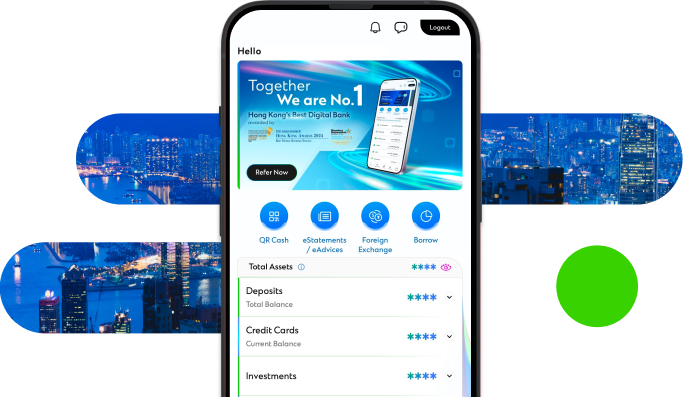
Experience SC Mobile App now

Scan QR code to download SC Mobile App now
for Android users without Google Play, please click here to download the Android application package (APK)